About Osman Gazi
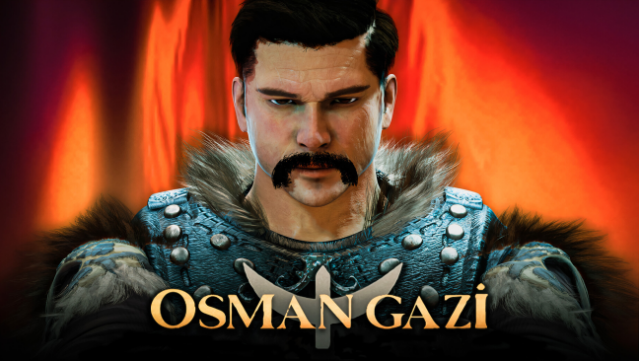
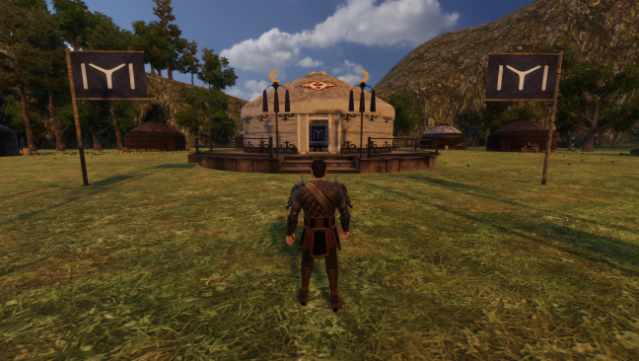
Step into the epic saga of the Ottoman Empire in this immersive role-playing adventure that blends history with action. As Osman Gazi, you navigate 82 gripping episodes, leading your army through intense battles against Crusaders and Mongolian forces. The gameplay revolves around strategic combat, exploration, and character customization, allowing players to ride horses, swim, and engage in visceral fights.
The stunning 3D graphics bring the tumultuous landscape of the era to life, while a rich musical score enhances the experience. You can build your character with a variety of weapons and armor, and even enlist a fierce wolf to fight alongside you. As you conquer castles and defeat enemies, you gather gold to upgrade your gear, making every mission a chance for growth and glory.
This title is perfect for fans of historical RPGs and those who enjoy a blend of storytelling and action-packed gameplay.
Instructions
- Click the Download button below and you will be redirected to UploadHaven.
- Wait 5 seconds and click on the blue ‘download now’ button. We recommend using a download manager for faster download speeds. (You can use FDM which is free here, or any other download manager).
- Once the game is finished downloading, right click the .zip file and click on “Extract to Osman Gazi v2025.01.05.zip” (To do this you will need 7-Zip, which you can get here, or you can use the built in windows extractor).
- Double click inside the Osman Gazi v2025.01.05 folder and run the setup application. Accept the EULA, and install the game. Then, launch the game through the desktop shortcut.
Osman Gazi Free Download (v2025.01.05)
Osman Gazi (v2025.01.05)
Size: 1.45 GB
Reminder: This download is completely free and won't cost you a penny. However, If you love the game and want to purchase it, you can support the developers by doing so here.
System Requirements
- OS: Windows 7+
- Processor: Intel i3 Processor
- Memory: 2 GB RAM
- Graphics: Nvidia GeForce GTX 560
- DirectX: Version 10
- Storage: 2 GB available space
Screenshots