About Orbit - Playing With Gravity
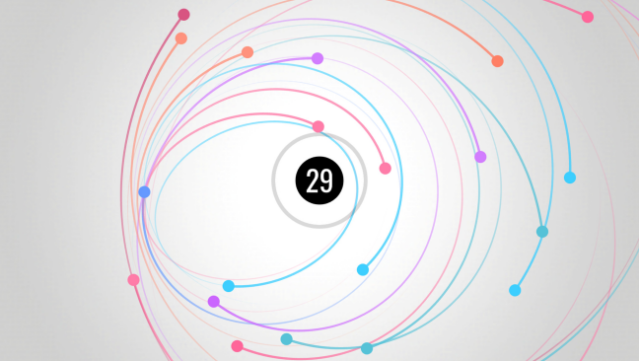
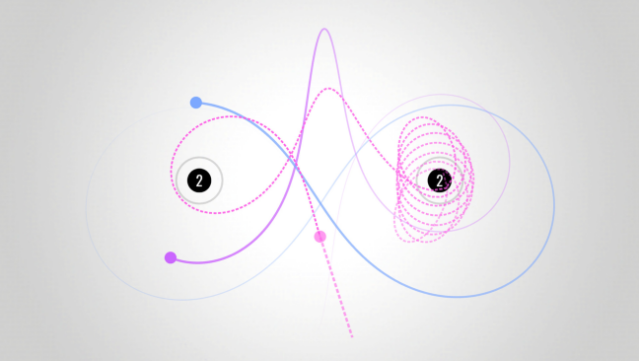
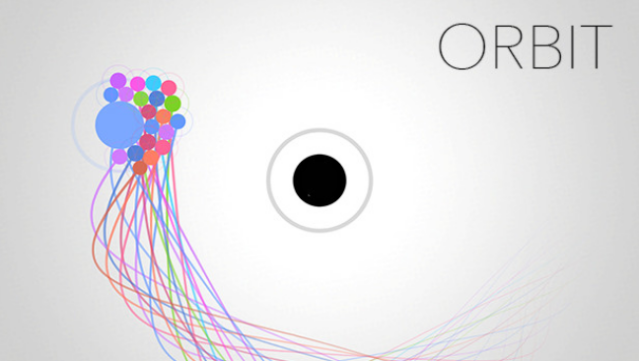
Dive into a captivating blend of gravity manipulation and puzzle-solving where your creativity takes center stage. This gravity simulator challenges you to launch planets into stable orbits around black holes, pushing your spatial reasoning to the limits. The core gameplay involves navigating through 45 engaging levels that gradually introduce new mechanics, like repulsive black holes and gravitationally interactive planets.
What sets this game apart is its Sandbox feature, allowing you to design custom levels and share them with the community, creating a virtually endless supply of content. With smooth, minimalist graphics and soothing piano music, the experience is both visually stunning and relaxing. Perfect for fans of physics-based puzzles or anyone who enjoys a creative twist in gameplay, this game invites you to explore the beauty of orbital mechanics.
Instructions
- Click the Download button below and you will be redirected to UploadHaven.
- Wait 5 seconds and click on the blue ‘download now’ button. We recommend using a download manager for faster download speeds. (You can use FDM which is free here, or any other download manager).
- Once the game is finished downloading, right click the .zip file and click on “Extract to Orbit - Playing With Gravity.zip” (To do this you will need 7-Zip, which you can get here, or you can use the built in windows extractor).
- Double click inside the Orbit - Playing With Gravity folder and run the setup application. Accept the EULA, and install the game. Then, launch the game through the desktop shortcut.
Orbit – Playing With Gravity Free Download
Orbit - Playing With Gravity
Size: 137.35 MB
Reminder: This download is completely free and won't cost you a penny. However, If you love the game and want to purchase it, you can support the developers by doing so here.
System Requirements
- OS: Windows 7
- Processor: 2 GHz
- Memory: 128 MB RAM
- Graphics: Any
- DirectX: Version 9.0
- Storage: 300 MB available space
Screenshots