About Operation STEEL
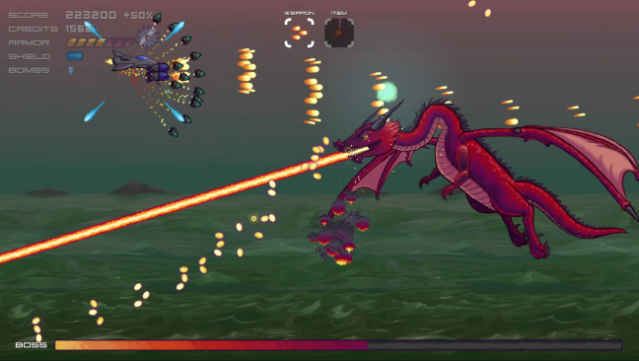
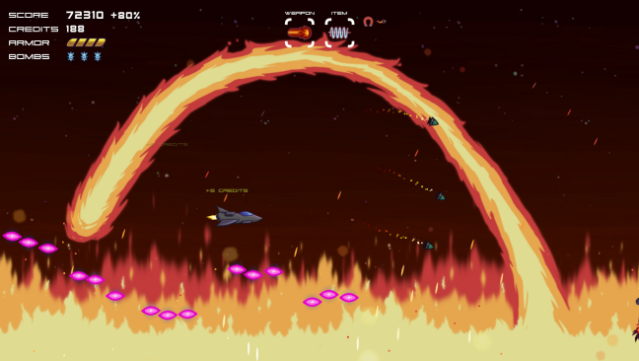
Dive into a vibrant universe where hand-drawn visuals meet high-octane action in this roguelike shoot-em-up. Players navigate through procedurally generated levels, facing off against an electronic army while discovering and upgrading a vast arsenal of over 35 unique weapons. With more than 20 branching paths to choose from, no two runs feel the same, as waves of quirky enemies and challenging bosses—25+ in total—keep the adrenaline pumping. Between levels, you can enhance your ship at the shop, and the adrenaline doesn't stop there with a dedicated Boss Rush mode and online leaderboards to test your skills. If you're into games that blend unique art styles with relentless gameplay, this one's definitely for you.
Instructions
- Click the Download button below and you will be redirected to UploadHaven.
- Wait 5 seconds and click on the blue ‘download now’ button. We recommend using a download manager for faster download speeds. (You can use FDM which is free here, or any other download manager).
- Once the game is finished downloading, right click the .zip file and click on “Extract to Operation STEEL v1.4.1.zip” (To do this you will need 7-Zip, which you can get here, or you can use the built in windows extractor).
- Double click inside the Operation STEEL v1.4.1 folder and run the setup application. Accept the EULA, and install the game. Then, launch the game through the desktop shortcut.
Operation STEEL Free Download (v1.4.1)
Operation STEEL (v1.4.1)
Size: 218.88 MB
Reminder: This download is completely free and won't cost you a penny. However, If you love the game and want to purchase it, you can support the developers by doing so here.
System Requirements
- Requires a 64-bit processor and operating system
- OS: Windows 7
- Processor: 2 core processor
- Memory: 2 GB RAM
- Graphics: Support for OpenGL 3.3
- Storage: 1 GB available space
- Additional Notes: Requires a 64-bit processor and operating system
Screenshots