About Omno
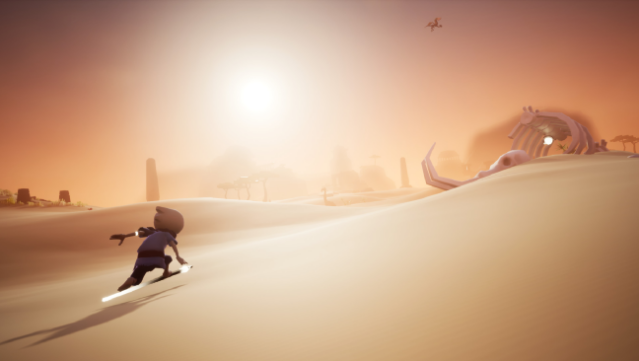
Embark on a mesmerizing journey across a beautifully crafted ancient world that blends exploration and puzzle-solving. This single-player adventure invites you to traverse diverse landscapes, from lush forests and arid deserts to icy tundras and even cloud-covered vistas. As you uncover the secrets of a long-lost civilization, you'll encounter a wide array of unique creatures, ranging from adorable little critters to majestic giants. The gameplay revolves around overcoming obstacles and solving engaging puzzles that deepen your connection to this vibrant environment. If you appreciate immersive explorations filled with wonder and discovery, this game is perfect for you.

Instructions
- Click the Download button below and you will be redirected to UploadHaven.
- Wait 5 seconds and click on the blue ‘download now’ button. We recommend using a download manager for faster download speeds. (You can use FDM which is free here, or any other download manager).
- Once the game is finished downloading, right click the .zip file and click on “Extract to Omno.zip” (To do this you will need 7-Zip, which you can get here, or you can use the built in windows extractor).
- Double click inside the Omno folder and run the setup application. Accept the EULA, and install the game. Then, launch the game through the desktop shortcut.
Omno Free Download
Reminder: This download is completely free and won't cost you a penny. However, If you love the game and want to purchase it, you can support the developers by doing so here.
System Requirements
- Requires a 64-bit processor and operating system
- OS: Windows 7, Windows 8 or Windows 10
- Processor: Intel or AMD Dual Core CPU
- Memory: 4 GB RAM
- Graphics: DirectX 10 Feature Level AMD or NVIDIA Card with 1 GB VRAM
- Storage: 5 GB available space
Screenshots