About Okami HD
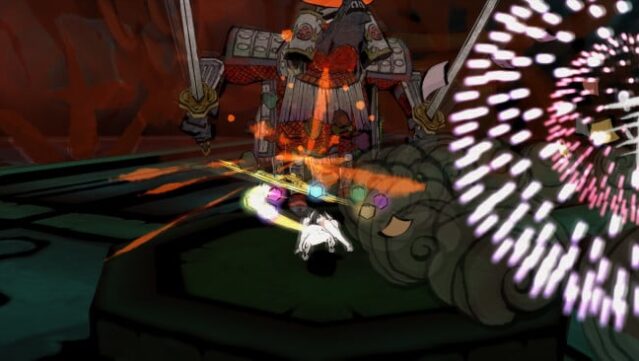
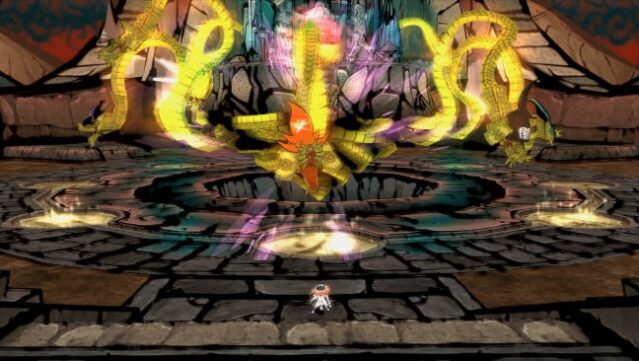
Step into a visually stunning world that beautifully merges traditional Japanese art with immersive gameplay. In this action-adventure title, you embody Amaterasu, the sun goddess reincarnated as a striking white wolf, on a mission to restore the land of Nippon from the blight caused by the fearsome Orochi, an eight-headed demon. The game offers a compelling blend of exploration, puzzle-solving, and combat as you traverse diverse landscapes and tackle various challenges. One standout feature is its unique Sumi-e ink art style, which captivates players with its breathtaking visuals. Additionally, the option to play in either modern widescreen or the classic 4:3 ratio, along with interactive loading screens, enhances the nostalgic experience. This game is perfect for those who appreciate rich narratives and stunning artistry in their gaming adventures.

Instructions
- Click the Download button below and you will be redirected to UploadHaven.
- Wait 5 seconds and click on the blue ‘download now’ button. We recommend using a download manager for faster download speeds. (You can use FDM which is free here, or any other download manager).
- Once the game is finished downloading, right click the .zip file and click on “Extract to Okami HD.zip” (To do this you will need 7-Zip, which you can get here, or you can use the built in windows extractor).
- Double click inside the Okami HD folder and run the setup application. Accept the EULA, and install the game. Then, launch the game through the desktop shortcut.
Okami HD Free Download
Reminder: This download is completely free and won't cost you a penny. However, If you love the game and want to purchase it, you can support the developers by doing so here.
System Requirements
- Requires a 64-bit processor and operating system
- OS: WINDOWS® 7 SP1, 8.1, 10 (64-BIT Required)
- Processor: Intel® Core™ i5-2500,3.3GHz
- Memory: 2 GB RAM
- Graphics: NVIDIA® GeForce® GTX 470
- DirectX: Version 11
- Storage: 34 GB available space
- Sound Card: DirectSound compatible (must support DirectX® 9.0c or higher)
Screenshots