About ODDADA
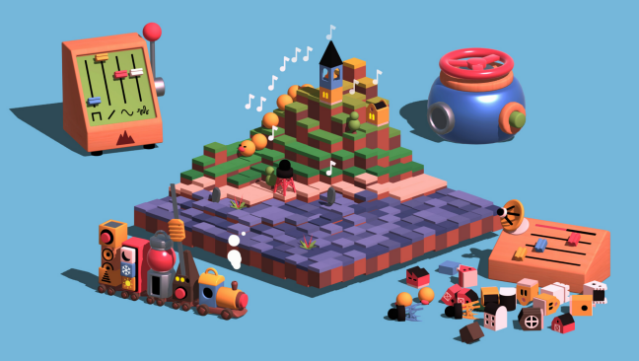
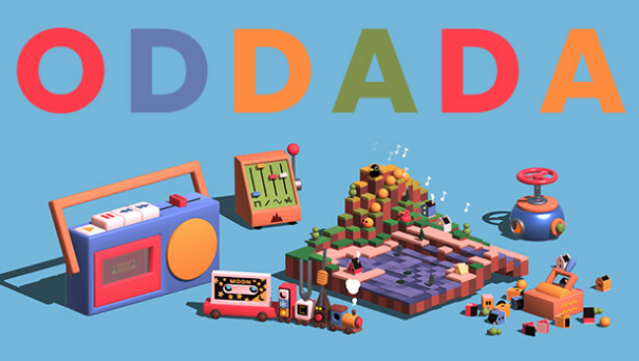
Dive into a vibrant musical playground where creativity knows no bounds. This game blends the joy of music creation with a whimsical aesthetic, allowing players to craft unique tracks using a variety of playful instruments. You navigate through randomized levels, layering melodies and harmonies to build your song step by step, culminating in an exciting grand finale.
What sets this game apart is its low-pressure environment, making it accessible for everyone, from seasoned musicians to casual players. As you progress, you unlock new tools and instruments, enhancing your musical journey. Plus, you can customize your finished tracks on virtual cassettes and easily export them to share with others.
Perfect for fans of music games and anyone looking to explore their creativity!
Instructions
- Click the Download button below and you will be redirected to UploadHaven.
- Wait 5 seconds and click on the blue ‘download now’ button. We recommend using a download manager for faster download speeds. (You can use FDM which is free here, or any other download manager).
- Once the game is finished downloading, right click the .zip file and click on “Extract to ODDADA v1.1.1.zip” (To do this you will need 7-Zip, which you can get here, or you can use the built in windows extractor).
- Double click inside the ODDADA v1.1.1 folder and run the setup application. Accept the EULA, and install the game. Then, launch the game through the desktop shortcut.
ODDADA Free Download (v1.1.1)
ODDADA (v1.1.1)
Size: 341.87 MB
Reminder: This download is completely free and won't cost you a penny. However, If you love the game and want to purchase it, you can support the developers by doing so here.
System Requirements
- Requires a 64-bit processor and operating system
- OS: Windows 10+
- Processor: Intel Core i5 or AMD Ryzen
- Memory: 4 GB RAM
- Graphics: 1 GB VRAM
- Storage: 1 GB available space
Screenshots