About Oblivity - Find Your Perfect Sensitivity
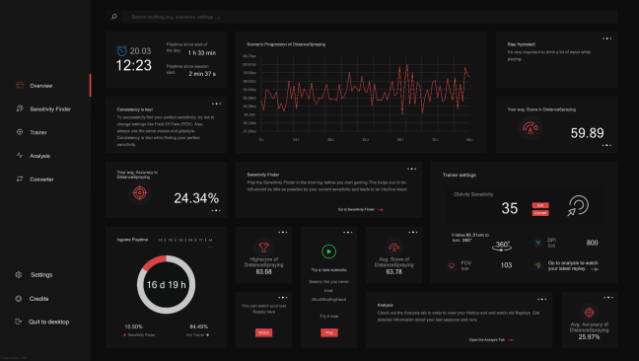
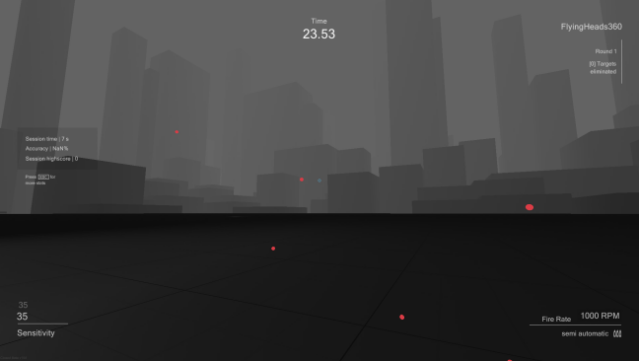
This game stands out with its innovative sensitivity finder, designed to help players optimize their mouse settings for first-person shooters. As a training tool, it immerses you in various scenarios tailored to popular FPS titles, adjusting your sensitivity dynamically to track your performance. Using an advanced algorithm, it analyzes your gameplay data over time, pinpointing the sensitivity level that enhances your skills the most.
Oblivity features a growing library of scenarios, allowing players to challenge themselves and climb leaderboards against friends and other gamers. You can even create and share your own training scenarios, fostering a vibrant community. With detailed analysis post-training, you gain insights into your accuracy, mouse speed, and specific aiming mistakes, helping you refine your skills effectively.
This game is perfect for competitive gamers looking to elevate their aiming precision and fine-tune their setup.
Instructions
- Click the Download button below and you will be redirected to UploadHaven.
- Wait 5 seconds and click on the blue ‘download now’ button. We recommend using a download manager for faster download speeds. (You can use FDM which is free here, or any other download manager).
- Once the game is finished downloading, right click the .zip file and click on “Extract to Oblivity - Find Your Perfect Sensitivity.zip” (To do this you will need 7-Zip, which you can get here, or you can use the built in windows extractor).
- Double click inside the Oblivity - Find Your Perfect Sensitivity folder and run the setup application. Accept the EULA, and install the game. Then, launch the game through the desktop shortcut.
Oblivity – Find Your Perfect Sensitivity Free Download
Oblivity - Find Your Perfect Sensitivity
Size: 128.44 MB
Reminder: This download is completely free and won't cost you a penny. However, If you love the game and want to purchase it, you can support the developers by doing so here.
System Requirements
- OS: Windows 10
- Processor: Intel Core i3
- Memory: 4 GB RAM
- Graphics: GTX 560
- Storage: 600 MB available space
- Additional Notes: As long as your pc isn’t a potato you shouldn’t have any performance issues.
Screenshots