About Nurose
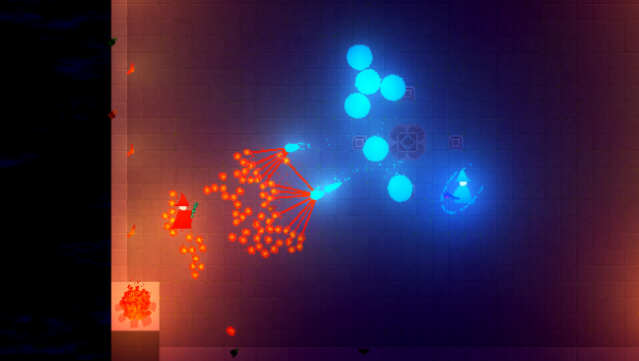
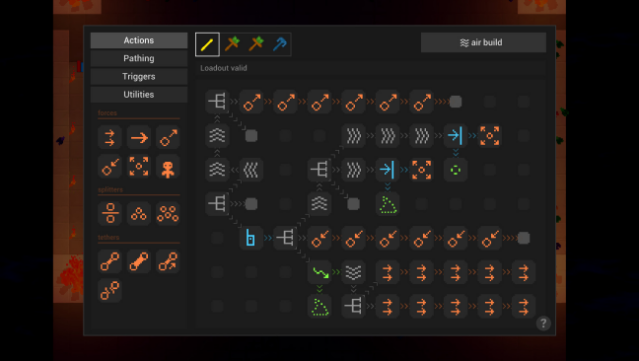
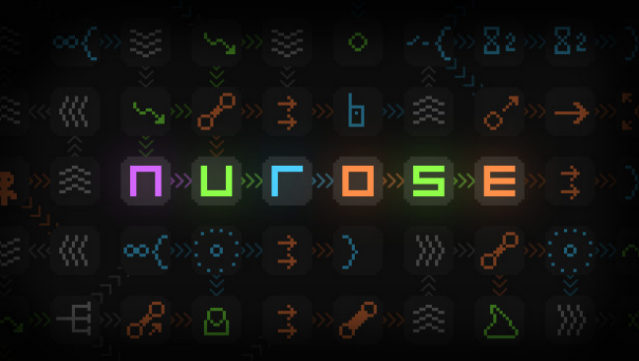
Dive into a world where your creativity directly shapes the battlefield in this unique online dueling game. Players engage in thrilling combat using custom spells crafted through a visually driven programming system known as glyphs. With over 40 glyphs available right from the start, ranging from basic movement to intricate conditional designs, everyone can create powerful attacks without grinding for upgrades.
The gameplay emphasizes experimentation; you can devise explosive mines that detonate when enemies approach, decoy clones that confuse opponents, or totems that autonomously attack when enemies are near. Success hinges on your skill in designing and executing these spell combinations. If you love competitive multiplayer games that reward ingenuity and strategy, this one is definitely worth checking out.
Instructions
- Click the Download button below and you will be redirected to UploadHaven.
- Wait 5 seconds and click on the blue ‘download now’ button. We recommend using a download manager for faster download speeds. (You can use FDM which is free here, or any other download manager).
- Once the game is finished downloading, right click the .zip file and click on “Extract to Nurose.zip” (To do this you will need 7-Zip, which you can get here, or you can use the built in windows extractor).
- Double click inside the Nurose folder and run the setup application. Accept the EULA, and install the game. Then, launch the game through the desktop shortcut.
Nurose Free Download
Reminder: This download is completely free and won't cost you a penny. However, If you love the game and want to purchase it, you can support the developers by doing so here.
System Requirements
- Requires a 64-bit processor and operating system
- OS *: Windows 7
- Processor: 2 GHz Processor
- Memory: 4 GB RAM
- Graphics: 2GB VRAM / OpenGL 3+ support
- Network: Broadband Internet connection
- Storage: 512 MB available space
- Sound Card: OpenAL 2.0+ support
Screenshots