About non - The First Warp
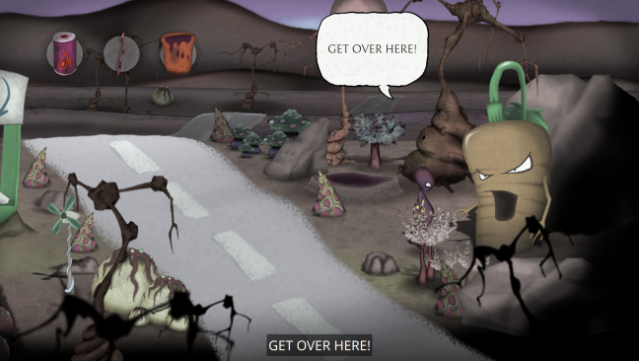
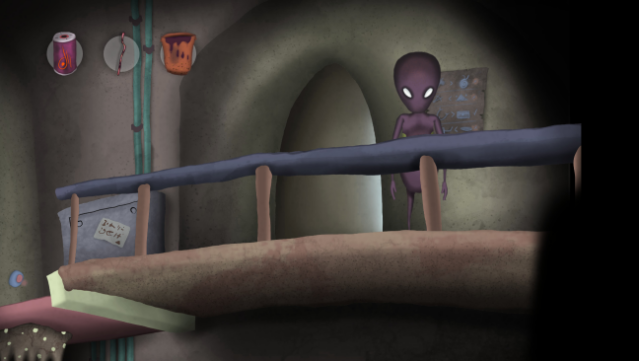
Dive into a unique blend of time manipulation and exploration in this unconventional 2D point-and-click adventure. Players step into the shoes of an alien named "Ո Օ Ո," who finds themselves unexpectedly transported across a galaxy filled with vibrant worlds. The core gameplay revolves around solving a myriad of puzzles while harnessing the power of time to navigate through diverse alien landscapes and interact with the local inhabitants.
With stunning high-resolution graphics, a clever in-game help system, and a charming narrative infused with humor, this title offers a relaxing yet engaging experience. The game spans multiple planets across six chapters, enriched by a carefully crafted soundtrack and ambient sound design. Perfect for fans of innovative adventure games and anyone who enjoys a whimsical journey filled with quirky characters and clever challenges.

Instructions
- Click the Download button below and you will be redirected to UploadHaven.
- Wait 5 seconds and click on the blue ‘download now’ button. We recommend using a download manager for faster download speeds. (You can use FDM which is free here, or any other download manager).
- Once the game is finished downloading, right click the .zip file and click on “Extract to non - The First Warp.zip” (To do this you will need 7-Zip, which you can get here, or you can use the built in windows extractor).
- Double click inside the non - The First Warp folder and run the setup application. Accept the EULA, and install the game. Then, launch the game through the desktop shortcut.
non – The First Warp Free Download
non - The First Warp
Size: 1.27 GB
Reminder: This download is completely free and won't cost you a penny. However, If you love the game and want to purchase it, you can support the developers by doing so here.
System Requirements
- Requires a 64-bit processor and operating system
- OS: Windows 10
- Processor: Intel Core i7-5600U CPU @ 2.60GHz
- Memory: 6 GB RAM
- Graphics: Intel HD Graphics 5000
- Storage: 1 GB available space
- Sound Card: Any Windows compatible sound card should do
Screenshots