About Naval Hurricane
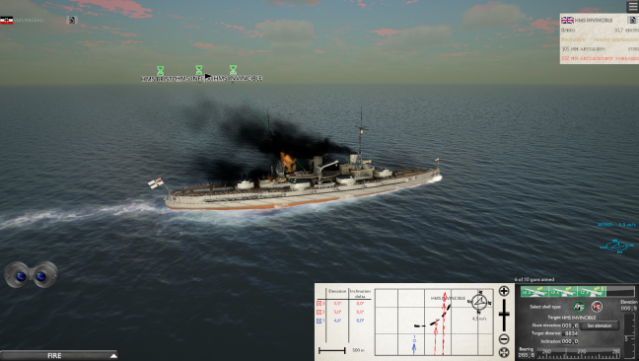
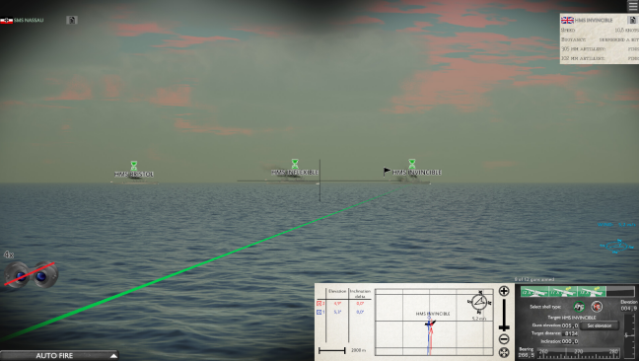
Experience the thrill of naval warfare with a keen emphasis on realism and strategy. This game immerses you in a detailed maritime setting where each ship is designed to closely resemble its historical counterpart. The gameplay focuses on tactical naval battles, enhanced by an advanced damage model that showcases the effects of visibility and weather on your fleet's performance.
You take on the role of a fleet commander, navigating through a global campaign that challenges your strategic skills. A standout feature is the comprehensive damage control system, allowing you to manage your crew in real-time to repair vessels, extinguish fires, and patch up breaches, keeping your fleet afloat in the heat of battle.
Ideal for players who appreciate intricate naval simulations or historical warfare, this game is a must-try for fans of tactical combat.

Instructions
- Click the Download button below and you will be redirected to UploadHaven.
- Wait 5 seconds and click on the blue ‘download now’ button. We recommend using a download manager for faster download speeds. (You can use FDM which is free here, or any other download manager).
- Once the game is finished downloading, right click the .zip file and click on “Extract to Naval Hurricane v0.192a.zip” (To do this you will need 7-Zip, which you can get here, or you can use the built in windows extractor).
- Double click inside the Naval Hurricane v0.192a folder and run the setup application. Accept the EULA, and install the game. Then, launch the game through the desktop shortcut.
Naval Hurricane Free Download (v0.192a)
Naval Hurricane (v0.192a)
Size: 461.23 MB
Reminder: This download is completely free and won't cost you a penny. However, If you love the game and want to purchase it, you can support the developers by doing so here.
System Requirements
- OS: Windows 7
- Processor: x86 compatible 2.66 GHz or better
- Memory: 2 GB RAM
- Graphics: DirectX 11.0 compatible GPU with at least 1GB of VRAM
- DirectX: Version 11
- Storage: 600 MB available space
Screenshots