About Mnemonimov
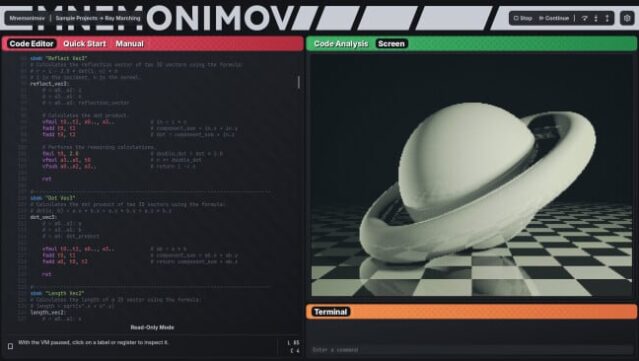
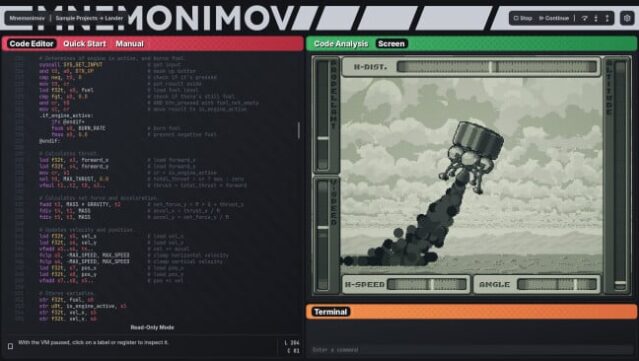
Dive into a unique programming experience that channels the nostalgia of early gaming consoles. This sandbox environment invites you to craft your games and applications using assembly language, all displayed on a retro monochrome screen. With its 32-bit virtual machine, you gain access to a comprehensive instruction set, allowing intricate memory management, floating-point calculations, and vector operations.
The workflow includes an integrated code editor that highlights syntax and provides detailed error reports, complemented by a robust debugger for step-by-step code execution. Designed for self-directed exploration, the lack of tutorials means you’re encouraged to experiment freely, pushing your programming skills to new heights. If you’re passionate about coding and want a platform that lets you build everything from the ground up, this is definitely one to check out.

Instructions
- Click the Download button below and you will be redirected to UploadHaven.
- Wait 5 seconds and click on the blue ‘download now’ button. We recommend using a download manager for faster download speeds. (You can use FDM which is free here, or any other download manager).
- Once the game is finished downloading, right click the .zip file and click on “Extract to Mnemonimov v0.1.1.zip” (To do this you will need 7-Zip, which you can get here, or you can use the built in windows extractor).
- Double click inside the Mnemonimov v0.1.1 folder and run the setup application. Accept the EULA, and install the game. Then, launch the game through the desktop shortcut.
Mnemonimov Free Download (v0.1.1)
Mnemonimov (v0.1.1)
Size: 88.94 MB
Reminder: This download is completely free and won't cost you a penny. However, If you love the game and want to purchase it, you can support the developers by doing so here.
System Requirements
- Requires a 64-bit processor and operating system
- OS: Windows 10+
- Processor: 3.0 GHz+
- Memory: 8 GB RAM
- Graphics: OpenGL 3.3+ / 2 GB VRAM / 1366 x 768
- Storage: 300 MB available space
Screenshots