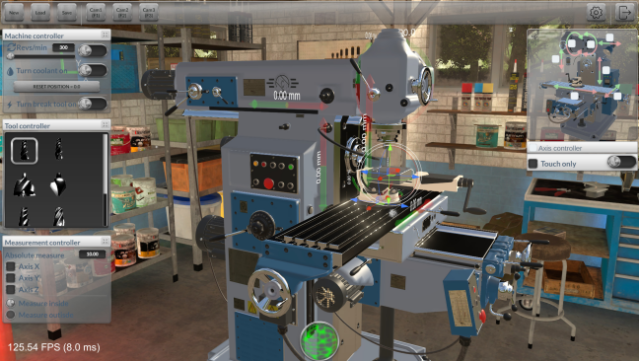
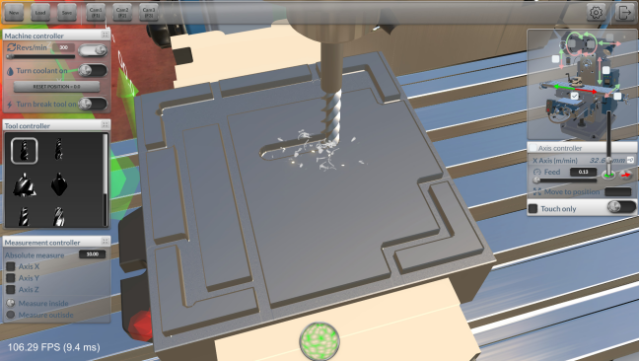
About Milling Machine Simulator 3D
Dive into the intricate world of milling like never before, where the art of machining comes to life. This simulator blends realism and creativity, allowing you to utilize a traditional milling machine to drill, grind, and cut various materials. In Free Milling mode, you can unleash your creativity by importing blueprints and crafting custom products, while Career mode presents you with precision-based challenges to test your skills. With realistic physics at play, attention is needed as cutting tools can wear out and break, adding a layer of strategy to your projects. Whether you're a seasoned machinist or a curious newcomer, this game offers a unique experience for anyone interested in the world of milling.
Instructions
- Click the Download button below and you will be redirected to UploadHaven.
- Wait 5 seconds and click on the blue ‘download now’ button. We recommend using a download manager for faster download speeds. (You can use FDM which is free here, or any other download manager).
- Once the game is finished downloading, right click the .zip file and click on “Extract to Milling Machine Simulator 3D v1.12.zip” (To do this you will need 7-Zip, which you can get here, or you can use the built in windows extractor).
- Double click inside the Milling Machine Simulator 3D v1.12 folder and run the setup application. Accept the EULA, and install the game. Then, launch the game through the desktop shortcut.
Milling Machine Simulator 3D Free Download (v1.12)
Milling Machine Simulator 3D (v1.12)
Size: 776.66 MB
Reminder: This download is completely free and won't cost you a penny. However, If you love the game and want to purchase it, you can support the developers by doing so here.
System Requirements
- OS: Windows 10, 11
- Processor: i3
- Memory: 4 GB RAM
- Graphics: AMD Radeon (TM) Graphics 512MB
- Storage: 2 GB available space
Screenshots