About Microsoft Flight Simulator 2020
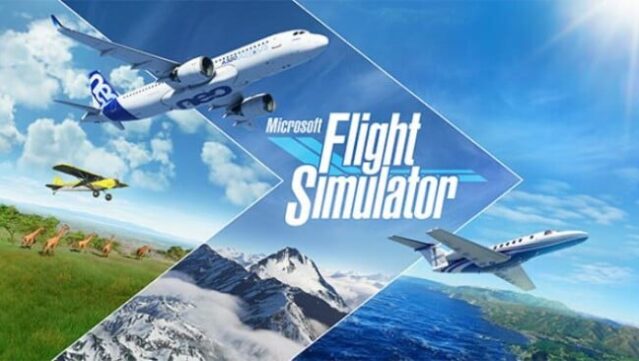
Experience the thrill of aviation in an incredibly realistic simulator that brings the skies to life. This flight simulation game blends stunning visuals with precise aircraft mechanics, allowing players to pilot a variety of meticulously detailed planes, from small light aircraft to massive commercial jets. You navigate through a dynamic world marked by real-time atmospheric conditions and live weather, making every flight a unique challenge. With the ability to chart your own course to nearly any destination on Earth, players can explore 30 handcrafted airports and enjoy breathtaking landscapes. This game is perfect for aviation enthusiasts and anyone looking to experience the freedom of flight from the comfort of their computer.
Instructions
- Click the Download button below and you will be redirected to UploadHaven.
- Wait 5 seconds and click on the blue ‘download now’ button. We recommend using a download manager for faster download speeds. (You can use FDM which is free here, or any other download manager).
- Once the game is finished downloading, right click the .zip file and click on “Extract to Microsoft Flight Simulator 2020.zip” (To do this you will need 7-Zip, which you can get here, or you can use the built in windows extractor).
- Double click inside the Microsoft Flight Simulator 2020 folder and run the setup application. Accept the EULA, and install the game. Then, launch the game through the desktop shortcut.
Microsoft Flight Simulator 2020 Free Download
Microsoft Flight Simulator 2020
Size: 114.59 GB
Reminder: This download is completely free and won't cost you a penny. However, If you love the game and want to purchase it, you can support the developers by doing so here.
System Requirements
- Requires a 64-bit processor and operating system
- OS: Windows 10
- Processor: Intel i5-4460 | AMD Ryzen 3 1200
- Memory: 8 GB RAM
- Graphics: NVIDIA GTX 770 | AMD Radeon RX 570
- DirectX: Version 11
- Storage: 150 GB available space
Screenshots