About Metaverse Keeper
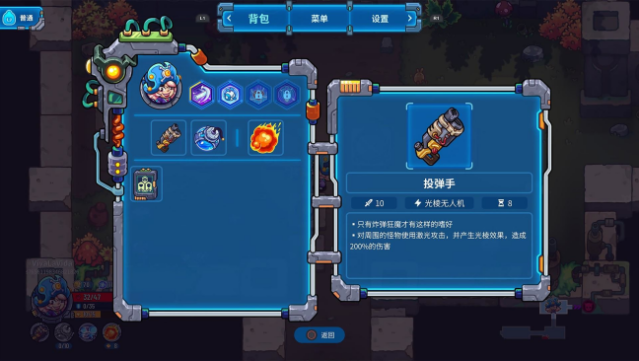
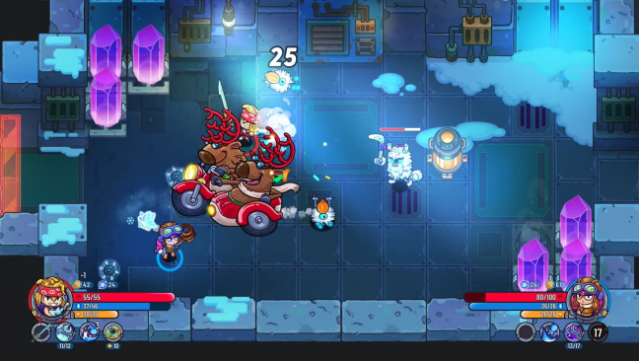
Dive into an exhilarating adventure where four heroes from distinct universes unite to uncover the mysteries of the Metaverse. This action-packed game blends roguelite elements with co-op gameplay, challenging players to explore the sprawling Bastion, a mysterious ship adrift in the chaos of space-time. Each hero brings unique skills to the table, allowing for diverse strategies as you tackle formidable bosses and unravel the secrets behind a cataclysmic event that reshaped reality.
The game's standout feature is the ever-evolving nature of the Bastion; each defeat leads to new challenges and changes, ensuring that no two runs are alike. With both local and online co-op options, you can team up with friends whether you're on the same couch or galaxies apart, making it perfect for collaborative gameplay. If you enjoy cooperative roguelites with a captivating story, this game is definitely worth your time.
Instructions
- Click the Download button below and you will be redirected to UploadHaven.
- Wait 5 seconds and click on the blue ‘download now’ button. We recommend using a download manager for faster download speeds. (You can use FDM which is free here, or any other download manager).
- Once the game is finished downloading, right click the .zip file and click on “Extract to Metaverse Keeper v1.2.1.zip” (To do this you will need 7-Zip, which you can get here, or you can use the built in windows extractor).
- Double click inside the Metaverse Keeper v1.2.1 folder and run the setup application. Accept the EULA, and install the game. Then, launch the game through the desktop shortcut.
Metaverse Keeper Free Download (v1.2.1)
Metaverse Keeper (v1.2.1)
Size: 523.15 MB
Reminder: This download is completely free and won't cost you a penny. However, If you love the game and want to purchase it, you can support the developers by doing so here.
System Requirements
- Requires a 64-bit processor and operating system
- OS: Windows 7/8/10
- Processor: Intel Core 2 Duo 2.8 GHz or equivalent
- Memory: 4 GB RAM
- Graphics: Intel® HD Graphics 3000
- Network: Broadband Internet connection
- Storage: 2 GB available space
- Sound Card: Any
Screenshots