About Maestro VR
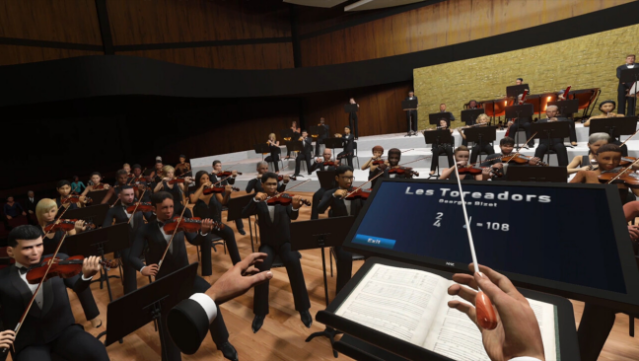
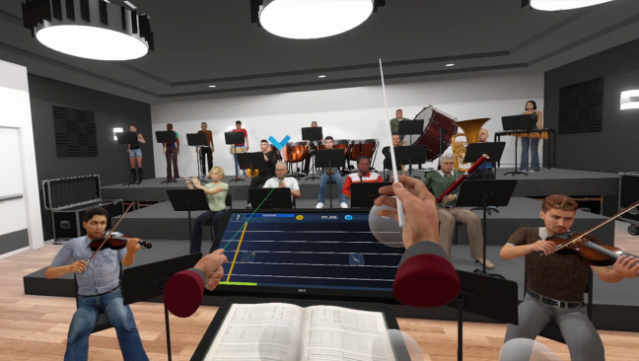
Imagine stepping into the shoes of a conductor, where your movements dictate the flow of an entire symphony in stunning virtual reality. This immersive experience allows players to wield their hands to manage tempo, dynamics, and cues as they conduct a full orchestra, bringing musical pieces from various eras to life. The gameplay centers around mastering realistic conducting patterns, enhanced by a 3D sound environment that truly makes you feel like the maestro. As you progress through the game, you can unlock new batons, power-ups, and titles, adding depth to your journey into the world of music. Perfect for fans of rhythm games and classical music alike, this title offers a unique way to engage with art and sound.
Instructions
- Click the Download button below and you will be redirected to UploadHaven.
- Wait 5 seconds and click on the blue ‘download now’ button. We recommend using a download manager for faster download speeds. (You can use FDM which is free here, or any other download manager).
- Once the game is finished downloading, right click the .zip file and click on “Extract to Maestro VR.zip” (To do this you will need 7-Zip, which you can get here, or you can use the built in windows extractor).
- Double click inside the Maestro VR folder and run the setup application. Accept the EULA, and install the game. Then, launch the game through the desktop shortcut.
Maestro VR Free Download
Reminder: This download is completely free and won't cost you a penny. However, If you love the game and want to purchase it, you can support the developers by doing so here.
System Requirements
- OS: Windows 7 SP1+
- Processor: Intel Core i5-4590 / AMD FX 8350
- Memory: 4 GB RAM
- Graphics: NVIDIA GTX 970 / AMD Radeon R9 290
- DirectX: Version 10
- VR Support: SteamVR, Oculus PC, or OpenXR. Standing or Room Scale
Screenshots