About Lost Hope: Backrooms
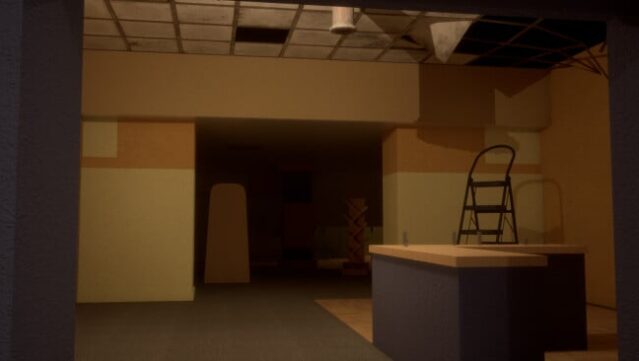
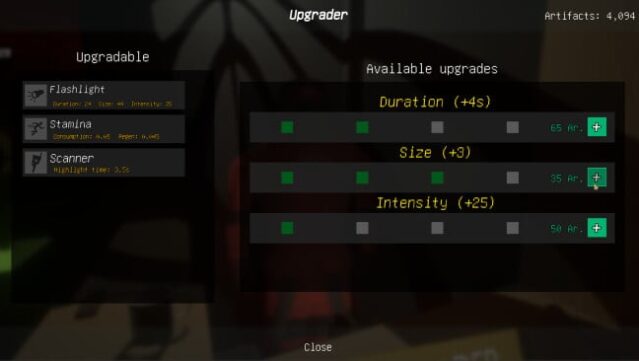
Dive into a haunting journey filled with mystery and tension as you explore over 20 meticulously crafted levels. This survival horror adventure immerses you in the eerie Last Hope Inc. laboratory, where each environment presents its own story and puzzles to solve. You'll navigate treacherous paths, gather valuable items for trading, and upgrade your tools to enhance your gameplay experience.
As you uncover the narrative of another character, you will confront more than seven uniquely designed entities, each with specific behaviors that demand strategic thinking to survive. If the thrill of danger isn't your style, you can switch to a No Entity Mode, allowing you to explore these chilling spaces at your own pace. This game is perfect for fans of atmospheric horror and those who enjoy unraveling complex stories while facing truly daunting challenges.
Instructions
- Click the Download button below and you will be redirected to UploadHaven.
- Wait 5 seconds and click on the blue ‘download now’ button. We recommend using a download manager for faster download speeds. (You can use FDM which is free here, or any other download manager).
- Once the game is finished downloading, right click the .zip file and click on “Extract to Lost Hope: Backrooms.zip” (To do this you will need 7-Zip, which you can get here, or you can use the built in windows extractor).
- Double click inside the Lost Hope: Backrooms folder and run the setup application. Accept the EULA, and install the game. Then, launch the game through the desktop shortcut.
Lost Hope: Backrooms Free Download
Lost Hope: Backrooms
Size: 9.39 GB
Reminder: This download is completely free and won't cost you a penny. However, If you love the game and want to purchase it, you can support the developers by doing so here.
System Requirements
- Requires a 64-bit processor and operating system
- OS: WIndows 10 x64
- Processor: Intel Core i5 7400
- Memory: 6 GB RAM
- Graphics: NVIDIA GTX 750 ti 2GB
- DirectX: Version 12
- Storage: 10 GB available space
- Additional Notes: Supports ONLY Windows x64, Integrated graphics cards are not supported
Screenshots