About Loddlenaut
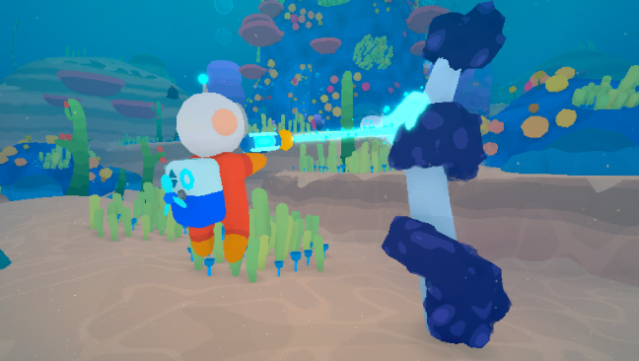
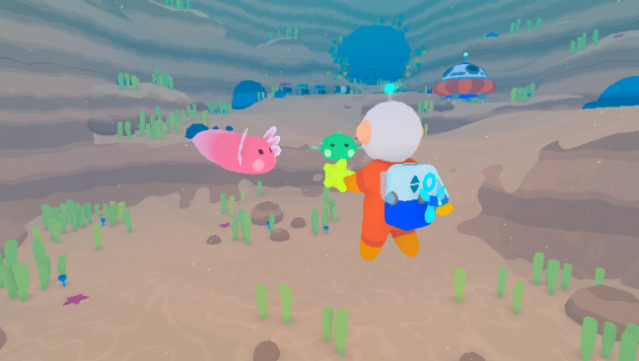
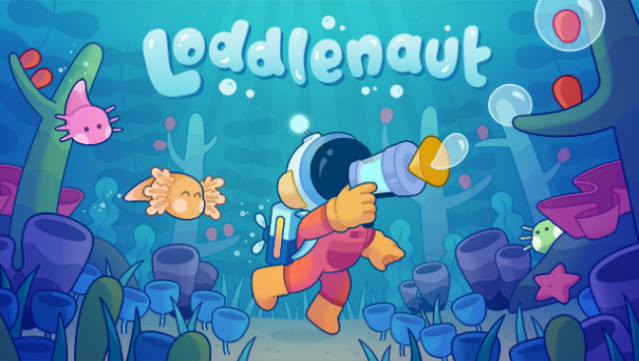
Dive into a colorful alien ocean in this unique adventure where you take on the role of a dedicated interstellar custodian. Set on the vibrant planet GUP-14, you work to restore its polluted waters after a mega-corporation, GUPPI, has left a trail of waste behind. The gameplay revolves around exploration and environmental restoration, as you navigate the murky depths filled with sunken relics of corporate negligence.
Using a range of high-tech gadgets, you clean up oil spills and debris while uncovering the history of the planet’s former inhabitants. Along the way, you befriend adorable axolotl-like creatures called loddles, nurturing them by providing nutritious aquatic fruits and protecting them from pollution. As they grow and evolve, you can even incubate their eggs to expand your little ecosystem.
This game is ideal for players who enjoy environmental themes and charming creature care mechanics.
Instructions
- Click the Download button below and you will be redirected to UploadHaven.
- Wait 5 seconds and click on the blue ‘download now’ button. We recommend using a download manager for faster download speeds. (You can use FDM which is free here, or any other download manager).
- Once the game is finished downloading, right click the .zip file and click on “Extract to Loddlenaut v1.2.4.zip” (To do this you will need 7-Zip, which you can get here, or you can use the built in windows extractor).
- Double click inside the Loddlenaut v1.2.4 folder and run the setup application. Accept the EULA, and install the game. Then, launch the game through the desktop shortcut.
Loddlenaut Free Download (v1.2.4)
Loddlenaut (v1.2.4)
Size: 367.87 MB
Reminder: This download is completely free and won't cost you a penny. However, If you love the game and want to purchase it, you can support the developers by doing so here.
System Requirements
- OS: Windows 7 SPI+ or later
- Processor: Intel / AMD Dual Core @ 1+ GHz
- Memory: 4 GB RAM
- Graphics: Radeon RX 550
- DirectX: Version 11
- Storage: 3 GB available space
Screenshots