About Live the Life
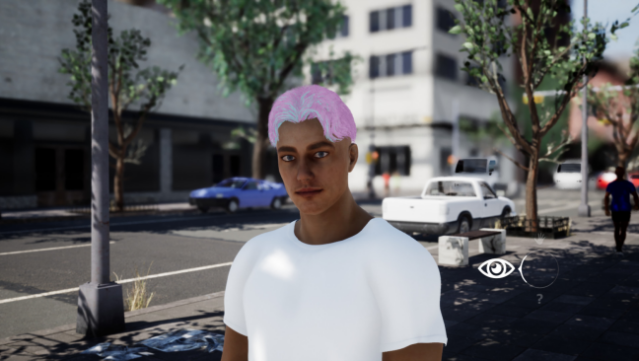
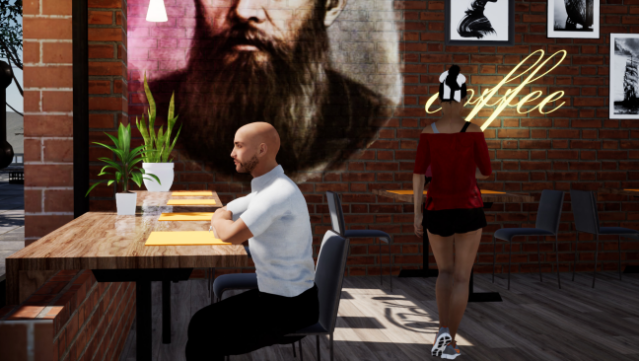
Step into a vibrant new life in a town brimming with possibility and charm. This life simulation game invites you to create and customize your character while navigating the welcoming streets of Port-Anthony. You have the freedom to choose your living situation—whether you want the comforts of an apartment or the challenges of street life.
As you explore, you'll find shops for furniture, clothing, and food, managing your resources to enhance your daily experience. The game emphasizes immersion with a first-person perspective, allowing you to interact seamlessly with your environment without any interruptions. Regular updates promise to expand the city and introduce new activities, ensuring that there's always something fresh to discover.
Perfect for fans of life sims and open-world exploration, this game provides a cozy yet dynamic setting to create your ideal life.

Instructions
- Click the Download button below and you will be redirected to UploadHaven.
- Wait 5 seconds and click on the blue ‘download now’ button. We recommend using a download manager for faster download speeds. (You can use FDM which is free here, or any other download manager).
- Once the game is finished downloading, right click the .zip file and click on “Extract to Live the Life v0.6.13.zip” (To do this you will need 7-Zip, which you can get here, or you can use the built in windows extractor).
- Double click inside the Live the Life v0.6.13 folder and run the setup application. Accept the EULA, and install the game. Then, launch the game through the desktop shortcut.
Live the Life Free Download (v0.6.13)
Live the Life (v0.6.13)
Size: 12.73 GB
Reminder: This download is completely free and won't cost you a penny. However, If you love the game and want to purchase it, you can support the developers by doing so here.
System Requirements
- Requires a 64-bit processor and operating system
- OS: Windows 10
- Processor: AMD Ryzen 3 3200G or Intel Core i3-8100
- Memory: 6 GB RAM
- Graphics: AMD R7 360 or GeForce GTX 660
- DirectX: Version 11
- Storage: 20 GB available space
Screenshots