About LEGO Worlds
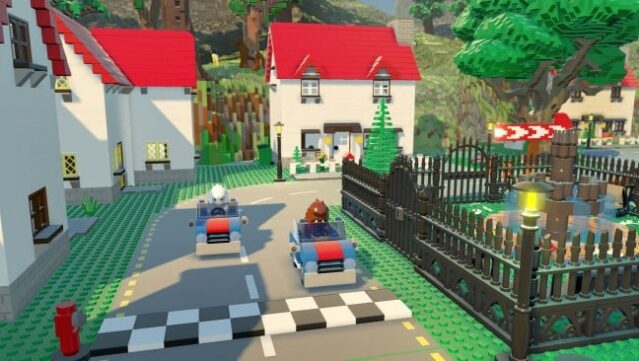
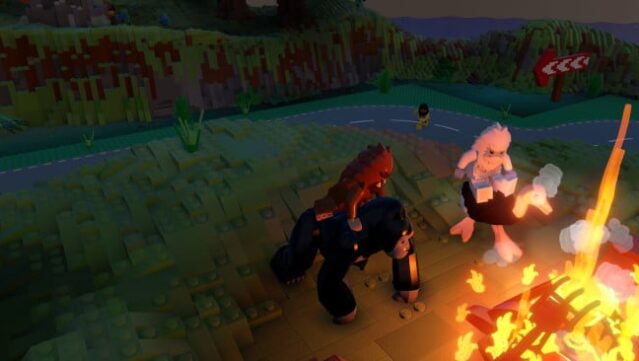
Imagine a universe where your creativity knows no bounds, and every building block is a LEGO brick waiting to be shaped into anything you desire. This open-world sandbox game invites you to explore a procedurally-generated landscape where you can manipulate the environment piece by piece or use powerful tools for larger projects. You can craft expansive mountains or litter your world with vibrant islands, and if you prefer a quicker build, prefab structures let you customize your surroundings effortlessly. As you traverse your creation on various vehicles like helicopters and dragons, you encounter quirky characters and creatures that interact in amusing and unpredictable ways. This game is perfect for fans of creative exploration and those who enjoy expressing their imagination through gameplay.

Instructions
- Click the Download button below and you will be redirected to UploadHaven.
- Wait 5 seconds and click on the blue ‘download now’ button. We recommend using a download manager for faster download speeds. (You can use FDM which is free here, or any other download manager).
- Once the game is finished downloading, right click the .zip file and click on “Extract to LEGO Worlds.zip” (To do this you will need 7-Zip, which you can get here, or you can use the built in windows extractor).
- Double click inside the LEGO Worlds folder and run the setup application. Accept the EULA, and install the game. Then, launch the game through the desktop shortcut.
LEGO Worlds Free Download
Reminder: This download is completely free and won't cost you a penny. However, If you love the game and want to purchase it, you can support the developers by doing so here.
System Requirements
- OS: Windows 7
- Processor: Intel Dual Core 2GHz
- Memory: 4 GB RAM
- Graphics: 512MB GPU with Shaders 3.0
- DirectX: Version 9.0
- Storage: 10 GB available space
Screenshots