About Kill It With Fire 2
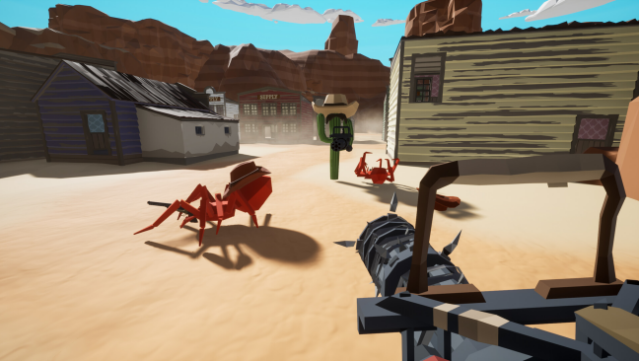
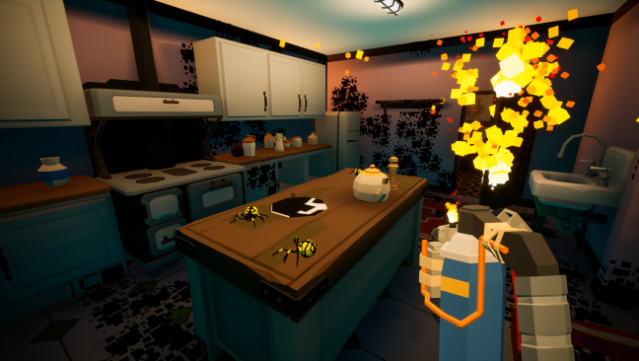
Dive into a chaotic multiverse overrun by spiders, where it's your job as an Exterminator to restore order with an arsenal of outrageous weapons. This action-packed title blends cooperative gameplay with competitive combat, allowing up to four players to team up against leggy foes or challenge each other in the unique PvP mode, Spider Hunt.
Explore diverse worlds, from the Wild West to bizarre alien landscapes, all while using cutting-edge technology to hunt down your eight-legged enemies in style. Collectively scream and laugh as you obliterate spiders using everything from flamethrowers to remote-controlled vehicles. Whether you’re embarking on the co-op story campaign or engaging in frantic PvP, the game promises a wild ride filled with both humor and adrenaline.
If you're a fan of chaotic action and cooperative gameplay, you'll definitely want to check this one out.

Instructions
- Click the Download button below and you will be redirected to UploadHaven.
- Wait 5 seconds and click on the blue ‘download now’ button. We recommend using a download manager for faster download speeds. (You can use FDM which is free here, or any other download manager).
- Once the game is finished downloading, right click the .zip file and click on “Extract to Kill It With Fire 2 v1.0.0.755.zip” (To do this you will need 7-Zip, which you can get here, or you can use the built in windows extractor).
- Double click inside the Kill It With Fire 2 v1.0.0.755 folder and run the setup application. Accept the EULA, and install the game. Then, launch the game through the desktop shortcut.
Kill It With Fire 2 Free Download (v1.0.0.755)
Kill It With Fire 2 (v1.0.0.755)
Size: 3.85 GB
Reminder: This download is completely free and won't cost you a penny. However, If you love the game and want to purchase it, you can support the developers by doing so here.
System Requirements
- OS *: Windows 7 64 Bit
- Processor: 2.4 GHz Dual Core
- Memory: 4 GB RAM
- Graphics: GTX 760 or Equivalent
- Storage: 4 GB available space
- Additional Notes: Check your fans for spider eggs
Screenshots