About Jisatsu
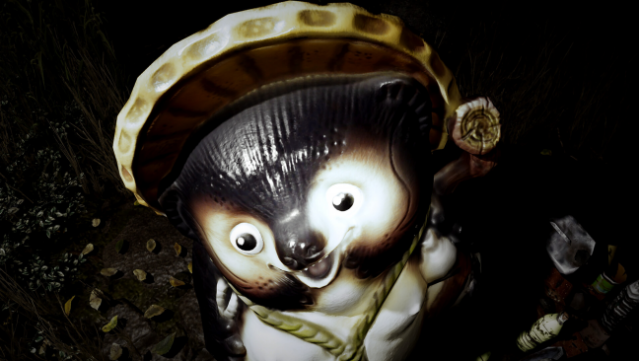
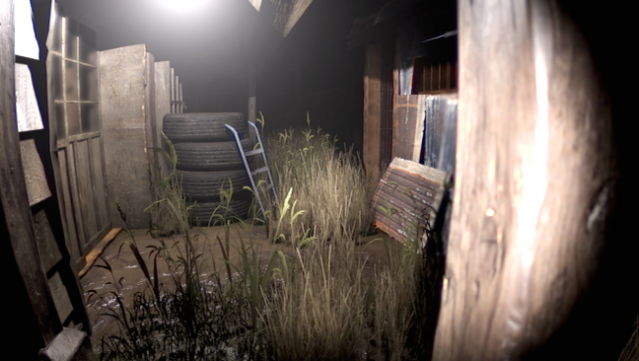
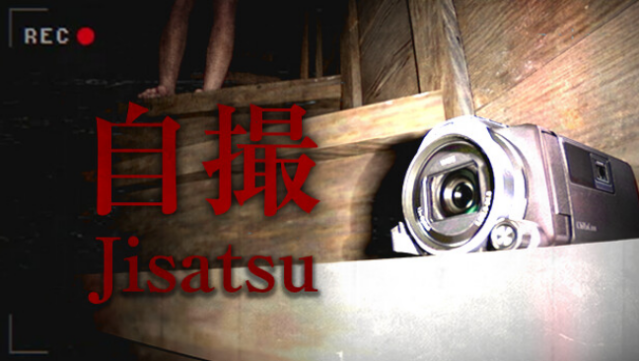
Step into a chilling world where reality blurs with the supernatural in this found footage mockumentary horror experience. Set against a backdrop inspired by classic Japanese horror films, players navigate an immersive and atmospheric environment that heightens the tension and fear. The gameplay revolves around exploring unsettling locations, piecing together a narrative that delves into psychological horror and the fragility of the mind.
With a unique VHS aesthetic stripped away for clarity, the game emphasizes its haunting visuals and sound design, ensuring you feel every moment of dread. The auto-save feature also provides seamless progress through its eerie chapters. This title is ideal for horror enthusiasts who appreciate psychological depth and the unsettling nuances of Japanese culture.
Instructions
- Click the Download button below and you will be redirected to UploadHaven.
- Wait 5 seconds and click on the blue ‘download now’ button. We recommend using a download manager for faster download speeds. (You can use FDM which is free here, or any other download manager).
- Once the game is finished downloading, right click the .zip file and click on “Extract to Jisatsu.zip” (To do this you will need 7-Zip, which you can get here, or you can use the built in windows extractor).
- Double click inside the Jisatsu folder and run the setup application. Accept the EULA, and install the game. Then, launch the game through the desktop shortcut.
Jisatsu Free Download
Reminder: This download is completely free and won't cost you a penny. However, If you love the game and want to purchase it, you can support the developers by doing so here.
System Requirements
- Requires a 64-bit processor and operating system
- OS *: Windows 7 SP1+ x64
- Processor: Intel/AMD X64 architecture with SSE2 instruction set support
- Memory: 4 GB RAM
- Graphics: Nvidia GTX 750 or AMD equivalent
- DirectX: Version 12
- Storage: 11 GB available space
- Sound Card: Yes
- Additional Notes: Lights off and Headset for best experience
Screenshots