About Havendock
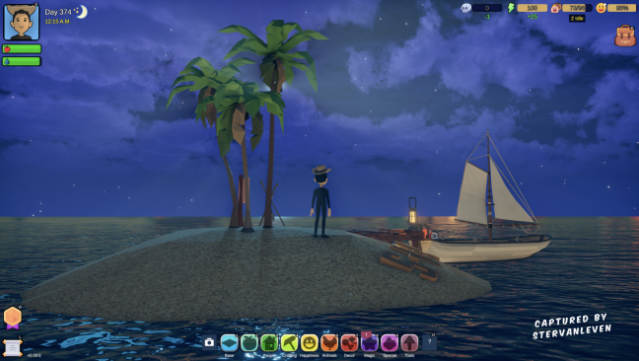
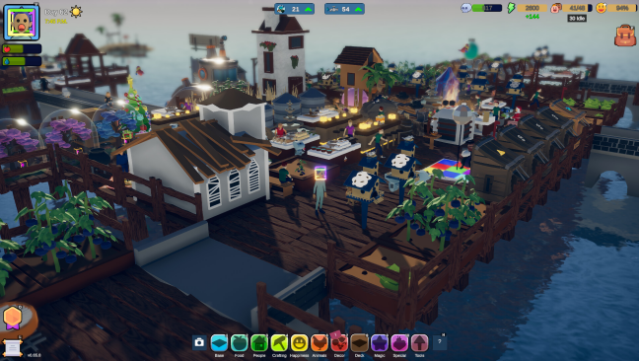
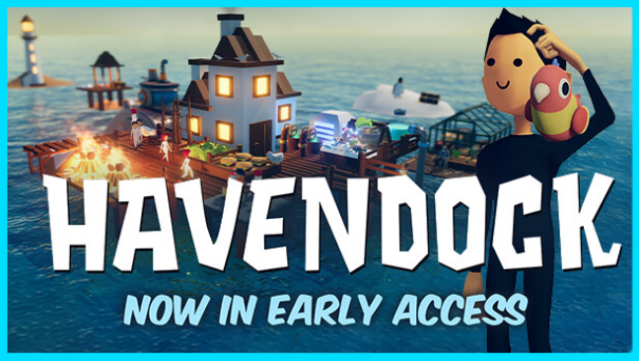
Imagine surviving in a floating settlement while managing resources and a growing community—that's the essence of this engaging simulation game. Set against a vast ocean, players dive into a world of resource management and base building, where every decision shapes the future of their town. You create your character, gather materials from debris, build essential facilities, and cultivate crops to sustain your settlers.
As your population grows, so do their needs, but you can teach them to automate tasks, freeing you up to focus on wacky scientific advancements—from coffee makers to submarines and even rockets. Explore nearby islands and the ocean depths for valuable resources, or invite friends to build together in co-op mode. This game is perfect for fans of survival and simulation genres looking for a unique twist on community management.
Instructions
- Click the Download button below and you will be redirected to UploadHaven.
- Wait 5 seconds and click on the blue ‘download now’ button. We recommend using a download manager for faster download speeds. (You can use FDM which is free here, or any other download manager).
- Once the game is finished downloading, right click the .zip file and click on “Extract to Havendock v1.4.11.zip” (To do this you will need 7-Zip, which you can get here, or you can use the built in windows extractor).
- Double click inside the Havendock v1.4.11 folder and run the setup application. Accept the EULA, and install the game. Then, launch the game through the desktop shortcut.
Havendock Free Download (v1.4.11)
Havendock (v1.4.11)
Size: 532.01 MB
Reminder: This download is completely free and won't cost you a penny. However, If you love the game and want to purchase it, you can support the developers by doing so here.
System Requirements
- Requires a 64-bit processor and operating system
- OS: Windows 7 (64-bit)
- Processor: Dual core 3 GHz+
- Memory: 4 GB RAM
- Graphics: GTX 700 series or similar
- DirectX: Version 11
- Storage: 1 GB available space
Screenshots