About Haunt Chaser
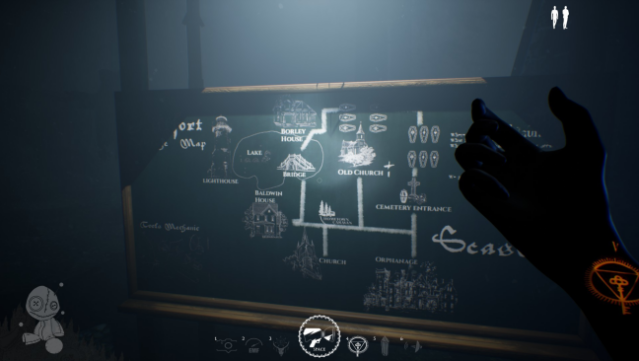
This game offers a chilling blend of cooperative gameplay and horror that keeps players on their toes. As a 4-player co-op experience, you and your friends step into the shoes of Chasers armed with various hunting tools, venturing into a sinister orphanage nestled in an abandoned village. Your mission is to rescue tormented spirits while uncovering spine-tingling secrets, all while facing a relentless paranormal entity that can hear your every move.
The gameplay encourages both teamwork and solo tactics, allowing players to choose between cooperating or going lone wolf. A standout feature is the customizable settings for each entity's abilities, giving you control over cooldowns and haunting mechanics, which adds a personal touch to the intensity. With the atmosphere thick with dread, this game is perfect for fans of cooperative horror who enjoy a mix of strategy and spine-chilling encounters.

Instructions
- Click the Download button below and you will be redirected to UploadHaven.
- Wait 5 seconds and click on the blue ‘download now’ button. We recommend using a download manager for faster download speeds. (You can use FDM which is free here, or any other download manager).
- Once the game is finished downloading, right click the .zip file and click on “Extract to Haunt Chaser v1.4.1.zip” (To do this you will need 7-Zip, which you can get here, or you can use the built in windows extractor).
- Double click inside the Haunt Chaser v1.4.1 folder and run the setup application. Accept the EULA, and install the game. Then, launch the game through the desktop shortcut.
Haunt Chaser Free Download (v1.4.1)
Haunt Chaser (v1.4.1)
Size: 6.96 GB
Reminder: This download is completely free and won't cost you a penny. However, If you love the game and want to purchase it, you can support the developers by doing so here.
System Requirements
- Requires a 64-bit processor and operating system
- OS: Windows 10, 64 Bit
- Processor: Intel i5 or new-gen i3 / AMD equivalent
- Graphics: NVIDIA GeForce 940M
- DirectX: Version 11
- Network: Broadband Internet connection
- Storage: 12 GB available space
Screenshots