About Happy Mining
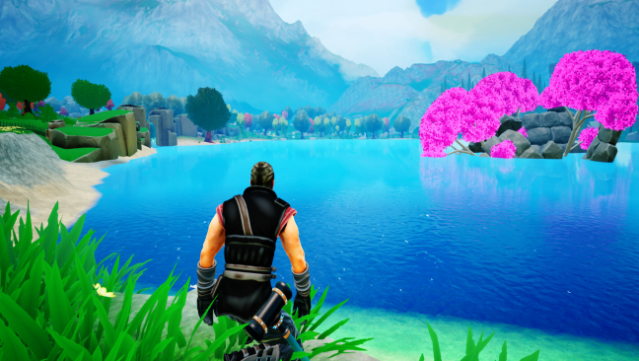
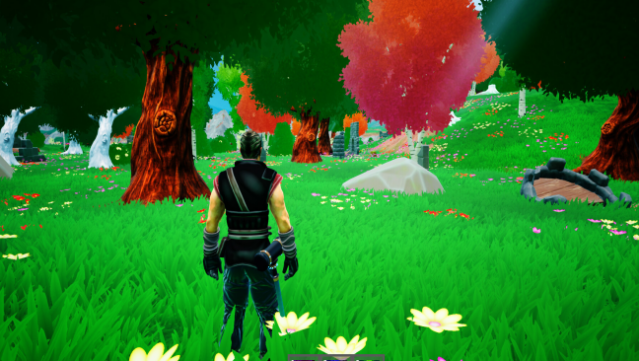
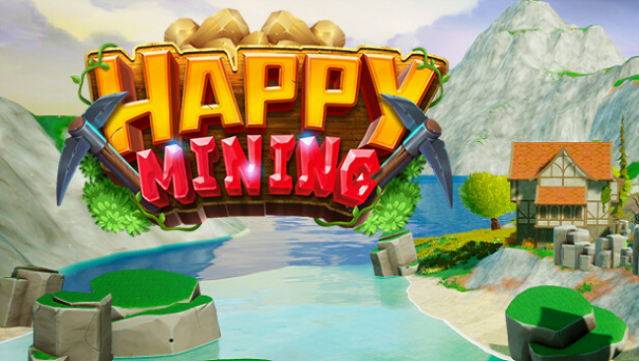
Dive into a vibrant and whimsical world where town-building and mining blend seamlessly to create a uniquely enjoyable experience. In this open-world adventure, players inhabit the colorful realm of Dragonspring, where your main goal revolves around resource mining and crafting. You start by purchasing the old mayor's house, taking on the responsibility of revitalizing your town one building at a time. As you explore, you unlock new areas, gather essential resources like stone and wood, and craft items in your workshop for sale in the marketplace.
Character customization allows you to choose between a male or female protagonist, and as you progress, you enhance your skills like mining efficiency and merchant techniques. The game also features quirky citizens with secrets waiting to be uncovered, adding a layer of intrigue to your exploration. Ideal for those who enjoy casual gameplay with a touch of creativity, this title is perfect for fans of town management and resource gathering games.
Instructions
- Click the Download button below and you will be redirected to UploadHaven.
- Wait 5 seconds and click on the blue ‘download now’ button. We recommend using a download manager for faster download speeds. (You can use FDM which is free here, or any other download manager).
- Once the game is finished downloading, right click the .zip file and click on “Extract to Happy Mining v1.0.2.1.zip” (To do this you will need 7-Zip, which you can get here, or you can use the built in windows extractor).
- Double click inside the Happy Mining v1.0.2.1 folder and run the setup application. Accept the EULA, and install the game. Then, launch the game through the desktop shortcut.
Happy Mining Free Download (v1.0.2.1)
Happy Mining (v1.0.2.1)
Size: 7.36 GB
Reminder: This download is completely free and won't cost you a penny. However, If you love the game and want to purchase it, you can support the developers by doing so here.
System Requirements
- Requires a 64-bit processor and operating system
- OS: 64-bit processor and operating system is required
- Processor: AMD Ryzen 7 1700
- Memory: 4 GB RAM
- Graphics: NVIDIA GTX 960
- DirectX: Version 9.0
- Storage: 5 GB available space
- Sound Card: DX11 compatible
- Additional Notes: With these requirements, it is recommended to play the game on low quality settings. Worse hardware is possible.
Screenshots