About Grimlord
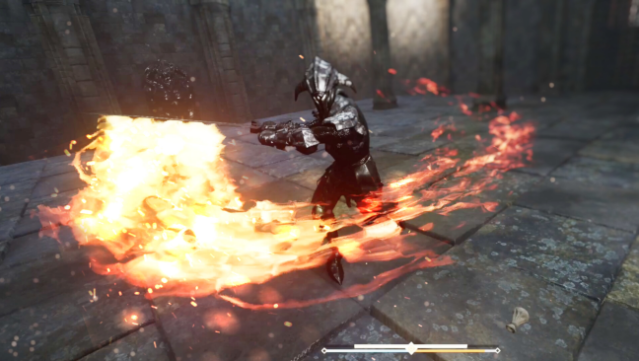
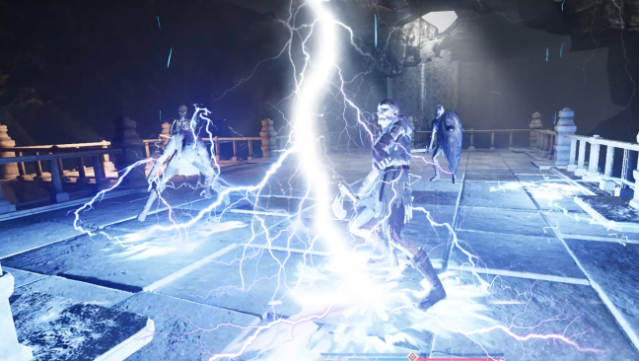
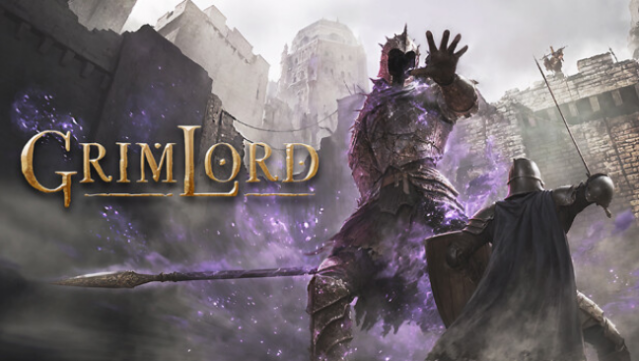
Dive into a world where your combat style is as unique as you are in this immersive action RPG. Set in a beautifully crafted landscape, the game invites players to engage in thrilling battles using innovative VR interactions. You can choose how to wield your weapons, employing real-life fighting techniques to take down formidable foes and customize your arsenal with countless weapon components.
The game features a sprawling map reminiscent of classic Souls titles, where exploring shortcuts and discovering legendary items adds depth to your adventure. With a variety of challenging enemies and epic boss fights, mastering attack patterns becomes essential for survival. If you're looking for a game that blends intense combat, deep customization, and a rich narrative, this one is definitely for you. Perfect for fans of action RPGs and VR experiences.
Instructions
- Click the Download button below and you will be redirected to UploadHaven.
- Wait 5 seconds and click on the blue ‘download now’ button. We recommend using a download manager for faster download speeds. (You can use FDM which is free here, or any other download manager).
- Once the game is finished downloading, right click the .zip file and click on “Extract to Grimlord v1.0.3 & VR.zip” (To do this you will need 7-Zip, which you can get here, or you can use the built in windows extractor).
- Double click inside the Grimlord v1.0.3 & VR folder and run the setup application. Accept the EULA, and install the game. Then, launch the game through the desktop shortcut.
Grimlord Free Download (v1.0.3 & VR)
Grimlord (v1.0.3 & VR)
Size: 20.18 GB
Reminder: This download is completely free and won't cost you a penny. However, If you love the game and want to purchase it, you can support the developers by doing so here.
System Requirements
- Requires a 64-bit processor and operating system
- OS: Windows 10
- Processor: Intel Core i5
- Memory: 8 GB RAM
- Graphics: NVIDIA GTX1060
- DirectX: Version 11
- Storage: 10 GB available space
- VR Support: SteamVR or Oculus PC
Screenshots