About Grand Emprise: Time Travel Survival
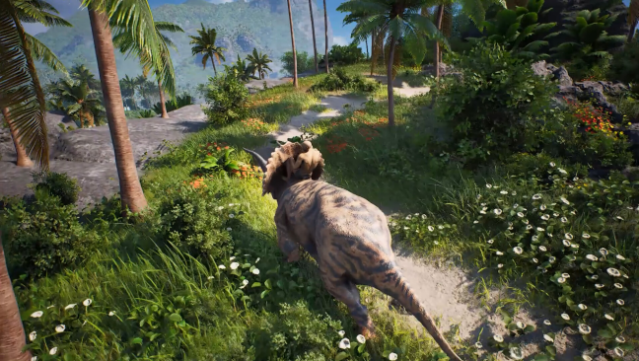
Dive into a wild blend of time travel, survival, and crafting that takes gaming to a whole new level. Set in an expansive open world, players craft their own tools, build bases, and even conquer castles while navigating through various historical eras. The gameplay loop revolves around resource gathering, base building, and combat, allowing you to create everything from primitive shelters to advanced futuristic structures, including a Dyson sphere. Unique traversal methods like riding dinosaurs and sailing through desert dunes keep the exploration fresh and exciting. Whether you're battling other players or the environment with a mix of primitive and high-tech weaponry, each moment is packed with adrenaline. This game is perfect for those who love ambitious survival crafting experiences.

Instructions
- Click the Download button below and you will be redirected to UploadHaven.
- Wait 5 seconds and click on the blue ‘download now’ button. We recommend using a download manager for faster download speeds. (You can use FDM which is free here, or any other download manager).
- Once the game is finished downloading, right click the .zip file and click on “Extract to Grand Emprise: Time Travel Survival.zip” (To do this you will need 7-Zip, which you can get here, or you can use the built in windows extractor).
- Double click inside the Grand Emprise: Time Travel Survival folder and run the setup application. Accept the EULA, and install the game. Then, launch the game through the desktop shortcut.
Grand Emprise: Time Travel Survival Free Download
Grand Emprise: Time Travel Survival
Size: 33.66 GB
Reminder: This download is completely free and won't cost you a penny. However, If you love the game and want to purchase it, you can support the developers by doing so here.
System Requirements
- Requires a 64-bit processor and operating system
- OS: Windows 10+
- Processor: Intel Core i5-7400 @ 3.3 GHz or AMD Ryzen 3 3300X
- Memory: 8 GB RAM
- Graphics: NVIDIA GeForce GTX 1060 / AMD Radeon RX 580
- Storage: 40 GB available space
- Additional Notes:
Additional virtual ram may be required through Windows settings.
Screenshots