About Grand Emprise 2: Portals Apart
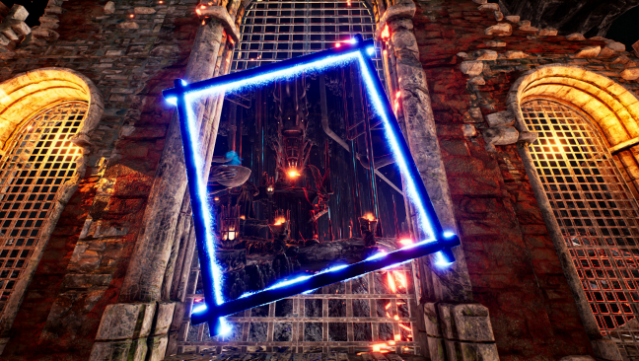
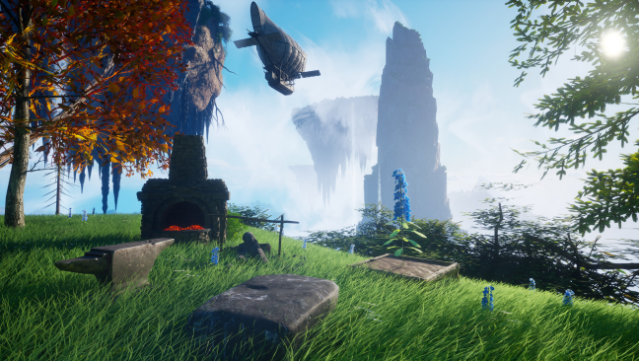
Dive into a thrilling survival crafting experience that takes you through magical portals into vibrant fantasy realms. This sequel builds on its predecessor's legacy, offering a dynamic mix of exploration and creativity. Players gather resources to craft an array of tools and weapons, while constructing powerful bases equipped with crafting stations and energy sources.
The game shines with its seamless world traversal, allowing for quick movement across various landscapes, and presents formidable bosses that test your skills at different difficulty levels. With each portal you enter, new challenges and adventures await, ensuring that no two experiences are the same. Perfect for fans of action-packed crafting games and those who love exploring diverse worlds.

Instructions
- Click the Download button below and you will be redirected to UploadHaven.
- Wait 5 seconds and click on the blue ‘download now’ button. We recommend using a download manager for faster download speeds. (You can use FDM which is free here, or any other download manager).
- Once the game is finished downloading, right click the .zip file and click on “Extract to Grand Emprise 2: Portals Apart.zip” (To do this you will need 7-Zip, which you can get here, or you can use the built in windows extractor).
- Double click inside the Grand Emprise 2: Portals Apart folder and run the setup application. Accept the EULA, and install the game. Then, launch the game through the desktop shortcut.
Grand Emprise 2: Portals Apart Free Download
Grand Emprise 2: Portals Apart
Size: 18.65 GB
Reminder: This download is completely free and won't cost you a penny. However, If you love the game and want to purchase it, you can support the developers by doing so here.
System Requirements
- Requires a 64-bit processor and operating system
- OS: Windows 10+
- Processor: Intel Core i5-7400 @ 3.3 GHz or AMD Ryzen 3 3300X
- Memory: 16 GB RAM
- Graphics: NVIDIA GeForce GTX 1060 / AMD Radeon RX 580
- Storage: 20 GB available space
- Additional Notes:
Additional virtual ram may be required through Windows settings.
Screenshots