About Goblin Cleanup
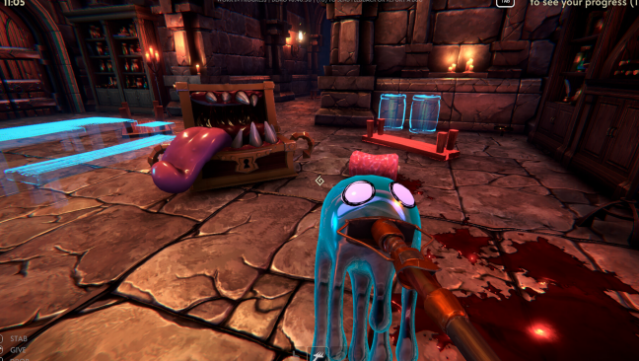
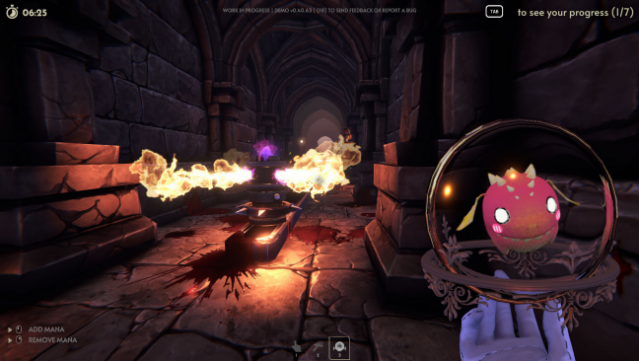
Imagine diving into the aftermath of a dungeon crawl, not as a hero, but as the unsung cleaner tasked with tidying up the chaos left behind. In this cooperative multiplayer game, you step into the shoes of a goblin cleaner, working solo or with up to three friends to restore dungeons to their former glory. The gameplay revolves around cleaning up blood, repositioning objects, and reactivating traps while navigating a dark and treacherous environment.
Standout features include an array of quirky tools like the Slimop and slime dispenser that help you tackle the mess, as well as dynamic dungeons that present unique challenges each time. Plus, keeping an eye on your teammates is crucial—if they fall, you’ll need to deal with their remains too. This game is perfect for fans of cooperative chaos and those who enjoy a humorous twist on the dungeon experience.
Instructions
- Click the Download button below and you will be redirected to UploadHaven.
- Wait 5 seconds and click on the blue ‘download now’ button. We recommend using a download manager for faster download speeds. (You can use FDM which is free here, or any other download manager).
- Once the game is finished downloading, right click the .zip file and click on “Extract to Goblin Cleanup v0.50.67c.zip” (To do this you will need 7-Zip, which you can get here, or you can use the built in windows extractor).
- Double click inside the Goblin Cleanup v0.50.67c folder and run the setup application. Accept the EULA, and install the game. Then, launch the game through the desktop shortcut.
Goblin Cleanup Free Download (v0.50.67c)
Goblin Cleanup (v0.50.67c)
Size: 3.59 GB
Reminder: This download is completely free and won't cost you a penny. However, If you love the game and want to purchase it, you can support the developers by doing so here.
System Requirements
- OS: Windows 10
- Processor: Intel Core i5-2300 | AMD FX-4350
- Memory: 6 GB RAM
- Graphics: Nvidia GeForce GTX 660, 2 GB | AMD Radeon HD 7870, 2 GB
- DirectX: Version 11
- Network: Broadband Internet connection
- Storage: 8 GB available space
Screenshots