About GLONK
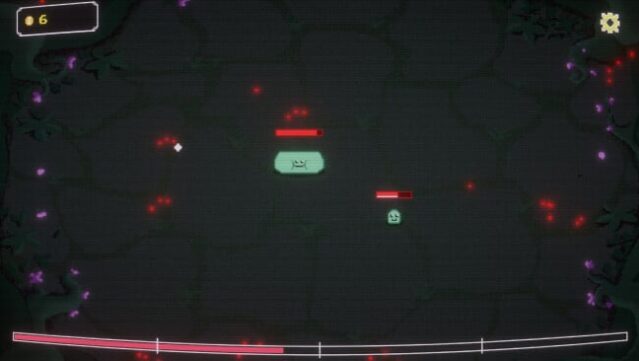
In this quirky resource management game, you dive into the whims of feeding and nurturing adorable creatures called Glonks. Set in a vibrant world, the gameplay centers around keeping these little guys satisfied while juggling your resources to earn gold and unlock new levels. As you feed your Glonks, you face increasingly challenging scenarios that require strategic decision-making, where every choice can lead to rewarding outcomes or chaotic surprises.
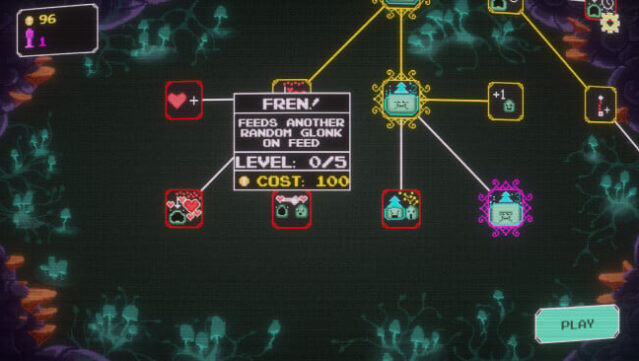
An expansive skill tree awaits, offering a variety of upgrades to enhance Glonks’ abilities and introduce fun twists to the gameplay. However, beware of their gluttonous nature, as it can lead to unexpected consequences that keep each session fresh and engaging. This game is perfect for fans of whimsical simulations and those who love a good strategic challenge.
Instructions
- Click the Download button below and you will be redirected to UploadHaven.
- Wait 5 seconds and click on the blue ‘download now’ button. We recommend using a download manager for faster download speeds. (You can use FDM which is free here, or any other download manager).
- Once the game is finished downloading, right click the .zip file and click on “Extract to GLONK.zip” (To do this you will need 7-Zip, which you can get here, or you can use the built in windows extractor).
- Double click inside the GLONK folder and run the setup application. Accept the EULA, and install the game. Then, launch the game through the desktop shortcut.
GLONK Free Download
Reminder: This download is completely free and won't cost you a penny. However, If you love the game and want to purchase it, you can support the developers by doing so here.
System Requirements
- OS: Windows 10 64-bit
- Processor: Intel Core i3-6100 or AMD FX-6300
- Memory: 4 GB RAM
- Graphics: Intel HD Graphics 530 / NVIDIA GeForce GTX 750 or equivalent
- DirectX: Version 11
- Storage: 1 GB available space
- Additional Notes: Stable performance on most modern integrated GPUs. Heavy spawn rates may lower framerate on older CPUs.
Screenshots