About Get Your Sheep Together
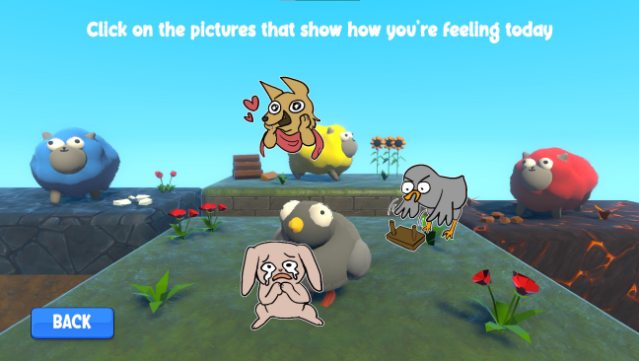
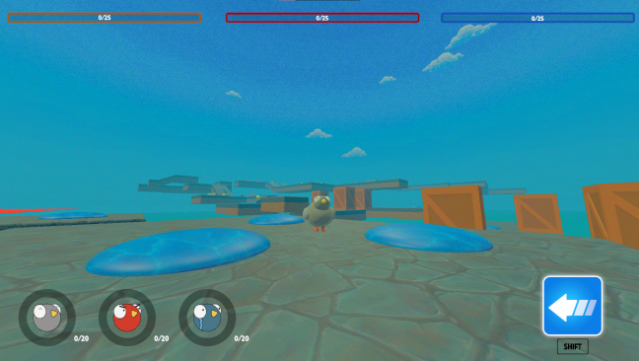
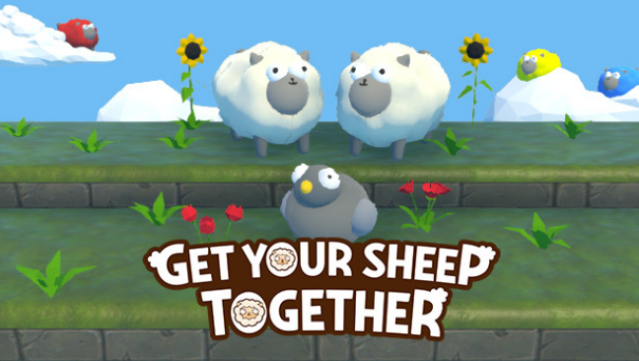
Dive into a delightful 3D platformer that combines whimsy with emotional exploration. You take on the role of a charming pigeon tasked with herding your feelings, represented by a flock of sheep, through a vibrant world. The gameplay revolves around navigating various platforming challenges where you can jump, shrink, and dash to overcome obstacles.
One of the standout features is the unique mood matrix that helps you unlock your hidden potential while managing your emotions. You'll need to gather Happy, Angry, and Sad sheep into the Orb of Emotional Importance, but be careful not to bottle up too many feelings, or you might face explosive consequences.
This game is perfect for those who enjoy light-hearted platforming with a twist of emotional depth.
Instructions
- Click the Download button below and you will be redirected to UploadHaven.
- Wait 5 seconds and click on the blue ‘download now’ button. We recommend using a download manager for faster download speeds. (You can use FDM which is free here, or any other download manager).
- Once the game is finished downloading, right click the .zip file and click on “Extract to Get Your Sheep Together.zip” (To do this you will need 7-Zip, which you can get here, or you can use the built in windows extractor).
- Double click inside the Get Your Sheep Together folder and run the setup application. Accept the EULA, and install the game. Then, launch the game through the desktop shortcut.
Get Your Sheep Together Free Download
Get Your Sheep Together
Size: 366.66 MB
Reminder: This download is completely free and won't cost you a penny. However, If you love the game and want to purchase it, you can support the developers by doing so here.
System Requirements
- Requires a 64-bit processor and operating system
- OS: Microsoft Windows 10
- Processor: Intel(R) Core(TM) i7-6700 CPU @ 3.40GHz, 3401 Mhz, 4 Core(s), 8 Logical Processor(s)
- Memory: 16 GB RAM
- Graphics: NVIDIA GeForce GTX 980 Ti
- DirectX: Version 12
- Storage: 1550 MB available space
Screenshots