About Gamer Shop Simulator
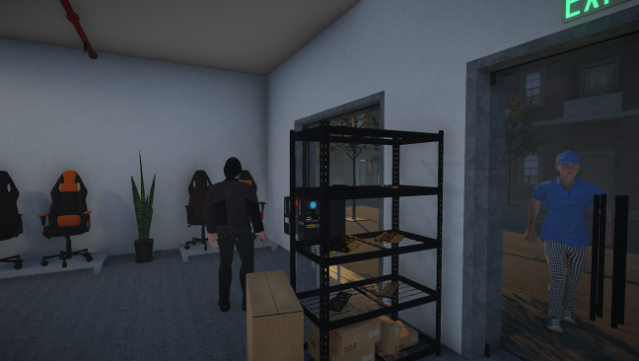
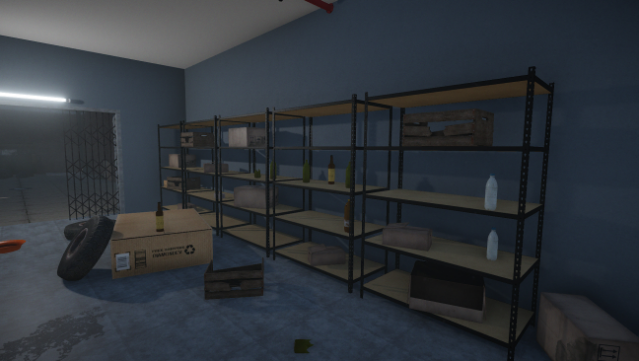
Immerse yourself in the world of business as you build and manage your very own gamer store. This engaging simulation game lets you transform a rundown shop into a thriving hub for gaming enthusiasts. Starting with an abandoned space, you clear out the clutter, set up shelving, and stock up on a variety of gaming goods. You’ll also need to hire staff, manage finances, and make strategic decisions to expand your store as demand grows. With an emphasis on creativity, you can customize your shop’s interior to reflect your personal style. If you’ve ever fantasized about running a gaming retail empire, this game is a must-try for you.
Instructions
- Click the Download button below and you will be redirected to UploadHaven.
- Wait 5 seconds and click on the blue ‘download now’ button. We recommend using a download manager for faster download speeds. (You can use FDM which is free here, or any other download manager).
- Once the game is finished downloading, right click the .zip file and click on “Extract to Gamer Shop Simulator v22.04.05.1036.zip” (To do this you will need 7-Zip, which you can get here, or you can use the built in windows extractor).
- Double click inside the Gamer Shop Simulator v22.04.05.1036 folder and run the setup application. Accept the EULA, and install the game. Then, launch the game through the desktop shortcut.
Gamer Shop Simulator Free Download (v22.04.05.1036)
Gamer Shop Simulator (v22.04.05.1036)
Size: 1.73 GB
Reminder: This download is completely free and won't cost you a penny. However, If you love the game and want to purchase it, you can support the developers by doing so here.
System Requirements
- OS: Windows 7 / 8.1 / 10
- Processor: Intel Core i5-2500K or equivalent
- Memory: 4 GB RAM
- Graphics: NVidia GeForce GTX 660 or equivalent
- Storage: 5 GB available space
Screenshots