About Galencia
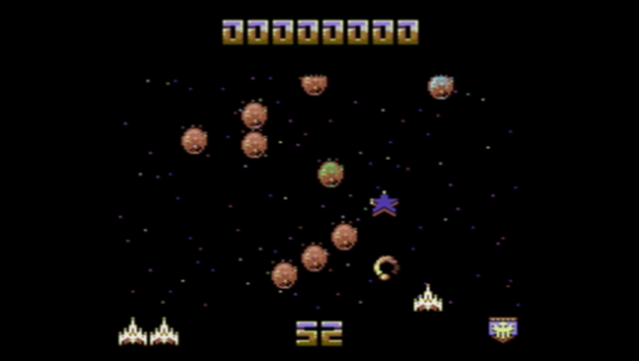
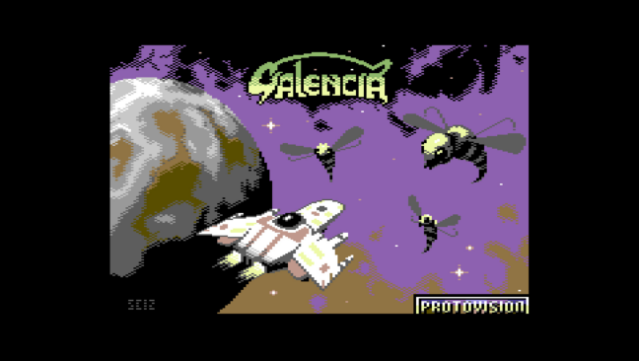
Dive into a retro-inspired arcade experience that combines classic shoot 'em up action with modern flair. Set in a vibrant, pixelated universe, players navigate through waves of enemies while utilizing simple yet responsive controls. The core gameplay revolves around dodging incoming fire and unleashing your own attacks using the left Ctrl key, creating an adrenaline-pumping rhythm as you clear levels and rack up points.
Standout features include customizable controls for joystick or keyboard, a nostalgic scanline effect to enhance that vintage feel, and the option for full-screen gameplay for maximum immersion. With its fast-paced combat and easy-to-learn mechanics, this game appeals to both seasoned arcade veterans and newcomers alike. Perfect for fans of classic arcade shooters and anyone looking for a fun, challenging experience.
Instructions
- Click the Download button below and you will be redirected to UploadHaven.
- Wait 5 seconds and click on the blue ‘download now’ button. We recommend using a download manager for faster download speeds. (You can use FDM which is free here, or any other download manager).
- Once the game is finished downloading, right click the .zip file and click on “Extract to Galencia.zip” (To do this you will need 7-Zip, which you can get here, or you can use the built in windows extractor).
- Double click inside the Galencia folder and run the setup application. Accept the EULA, and install the game. Then, launch the game through the desktop shortcut.
Galencia Free Download
Reminder: This download is completely free and won't cost you a penny. However, If you love the game and want to purchase it, you can support the developers by doing so here.
System Requirements
- OS: Windows 7
- Processor: Dual Core +
- Memory: 1 GB RAM MB RAM
- Graphics: 512MB +
- Storage: 100 MB available space
- Additional Notes: Please make sure all your device drivers are up to date!
Screenshots