About FWsim - Fireworks Display Simulator
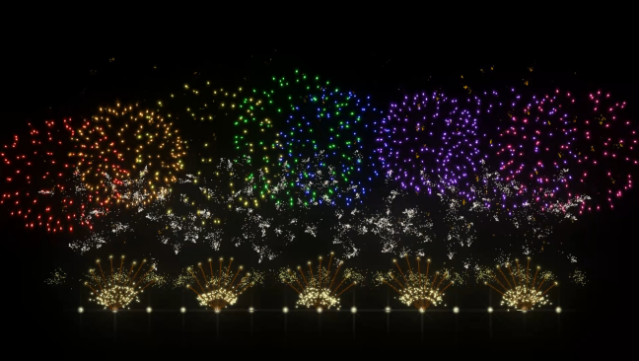
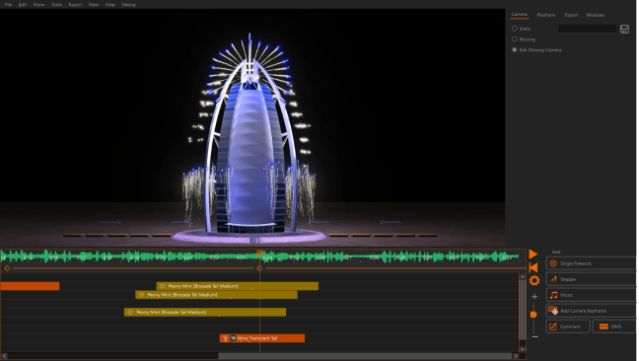
Dive into the colorful world of pyrotechnics with this immersive simulation that allows you to craft stunning fireworks displays from the ground up. As a 3D simulation tool, it appeals to both fireworks professionals and enthusiasts who want to unleash their creativity. The gameplay focuses on designing unique shows by combining various music tracks with over 400 realistic firework effects, ensuring each display is a visual spectacle.
You can customize every aspect of your show, from choosing firing lines to syncing explosions with sound effects, all within beautifully rendered 3D environments that include iconic landmarks or even your own backyard. The program also supports exporting your creations in up to 4K resolution, perfect for sharing on social media. If you’re passionate about fireworks and enjoy creative design, this game is perfect for you.
Instructions
- Click the Download button below and you will be redirected to UploadHaven.
- Wait 5 seconds and click on the blue ‘download now’ button. We recommend using a download manager for faster download speeds. (You can use FDM which is free here, or any other download manager).
- Once the game is finished downloading, right click the .zip file and click on “Extract to FWsim - Fireworks Display Simulator.zip” (To do this you will need 7-Zip, which you can get here, or you can use the built in windows extractor).
- Double click inside the FWsim - Fireworks Display Simulator folder and run the setup application. Accept the EULA, and install the game. Then, launch the game through the desktop shortcut.
FWsim – Fireworks Display Simulator Free Download
FWsim - Fireworks Display Simulator
Size: 373.29 MB
Reminder: This download is completely free and won't cost you a penny. However, If you love the game and want to purchase it, you can support the developers by doing so here.
System Requirements
- Requires a 64-bit processor and operating system
- OS: Windows 7 or later (64-bit)
- Memory: 2048 MB RAM
- Graphics: At least 256 MB of GPU RAM
- Additional Notes: Monitor resolution at least 1280×1024
Screenshots