About FurBalls Racing
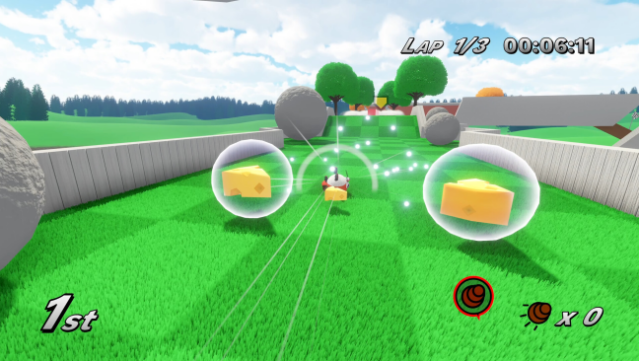
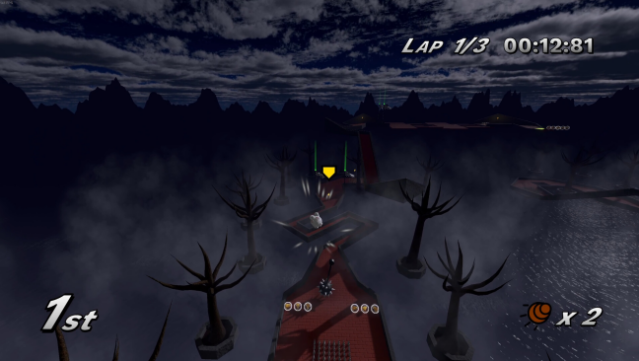
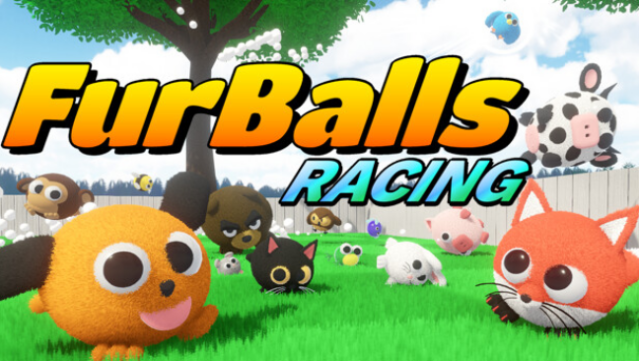
This racing game stands out with its quirky charm and fast-paced platforming mechanics. Set in a colorful world, players take control of a variety of adorable squishy FurBalls, each equipped with unique traits that affect gameplay. The core loop revolves around racing through imaginative tracks, employing wall jumps, spin drifts, and cheeky shortcuts to gain an edge over opponents.
What makes it truly entertaining are the whimsical elements, like collecting cheese to fire at rivals, adding a layer of hilarity to the competition. With local split-screen support for up to four players and an online mode for racing against friends or random opponents, it caters to both casual and competitive gamers.
If you enjoy lighthearted racing experiences with a twist, this title is definitely worth checking out.
Instructions
- Click the Download button below and you will be redirected to UploadHaven.
- Wait 5 seconds and click on the blue ‘download now’ button. We recommend using a download manager for faster download speeds. (You can use FDM which is free here, or any other download manager).
- Once the game is finished downloading, right click the .zip file and click on “Extract to FurBalls Racing v1.0.1.zip” (To do this you will need 7-Zip, which you can get here, or you can use the built in windows extractor).
- Double click inside the FurBalls Racing v1.0.1 folder and run the setup application. Accept the EULA, and install the game. Then, launch the game through the desktop shortcut.
FurBalls Racing Free Download (v1.0.1)
FurBalls Racing (v1.0.1)
Size: 715.48 MB
Reminder: This download is completely free and won't cost you a penny. However, If you love the game and want to purchase it, you can support the developers by doing so here.
System Requirements
- OS: Windows 7 64 bit
- Processor: Intel Core i3
- Memory: 2 GB RAM
- Graphics: Intel HD Graphics
- DirectX: Version 11
- Storage: 2 GB available space
- Additional Notes: For better performance on low-spec machines, decrease the quality and resolution settings in the options menu
Screenshots