About framepacer
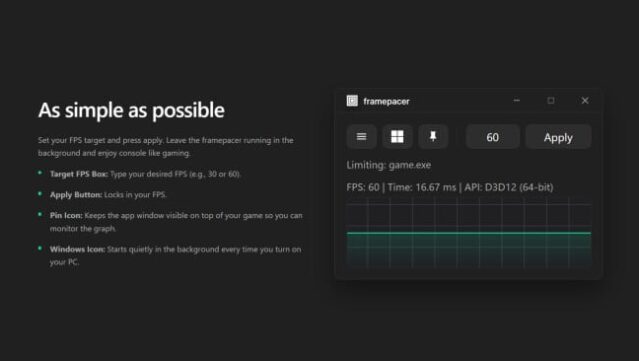
This utility stands out for its ability to deliver smooth, consistent frame delivery, tackling the micro-stutter that often plagues gaming experiences. As a precision FPS limiter for Windows, it offers a simple yet effective solution for those who desire smoother gameplay without the clutter of excessive settings. The core gameplay loop revolves around selecting a reliable FPS target that your system can maintain, while the tool manages frame timing dynamically as you play.
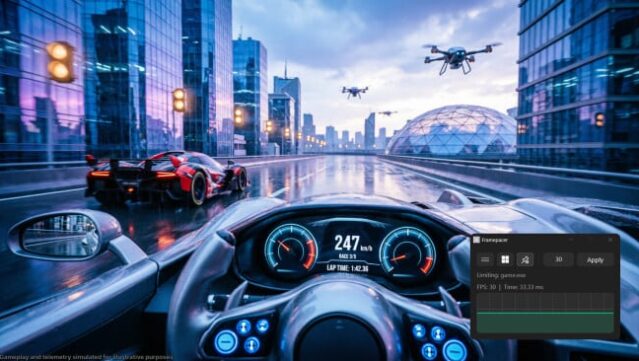
One of its standout features is the live frametime graph that provides real-time feedback, allowing players to assess stability rather than relying solely on average FPS metrics. Additionally, the ability to adjust frame caps on-the-fly enhances usability, especially during shifts between intensive and lighter game segments. Ideal for players who notice inconsistencies or seek to optimize their gaming setup, this utility is perfect for those who enjoy cinematic single-player experiences or older titles with inadequate cap options. Just be cautious if you're diving into competitive multiplayer, as some games might not play nicely with external utilities.

Instructions
- Click the Download button below and you will be redirected to UploadHaven.
- Wait 5 seconds and click on the blue ‘download now’ button. We recommend using a download manager for faster download speeds. (You can use FDM which is free here, or any other download manager).
- Once the game is finished downloading, right click the .zip file and click on “Extract to framepacer.zip” (To do this you will need 7-Zip, which you can get here, or you can use the built in windows extractor).
- Double click inside the framepacer folder and run the setup application. Accept the EULA, and install the game. Then, launch the game through the desktop shortcut.
framepacer Free Download
Reminder: This download is completely free and won't cost you a penny. However, If you love the game and want to purchase it, you can support the developers by doing so here.
System Requirements
- Requires a 64-bit processor and operating system
- OS: Windows 10 22H2
- Processor: 64-bit processor
- Memory: 4 GB RAM
- Graphics: Modern integrated graphics
- Storage: 30 MB available space
Screenshots