About Foosball VR
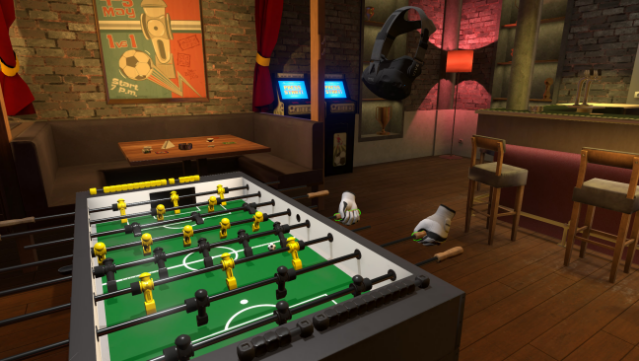
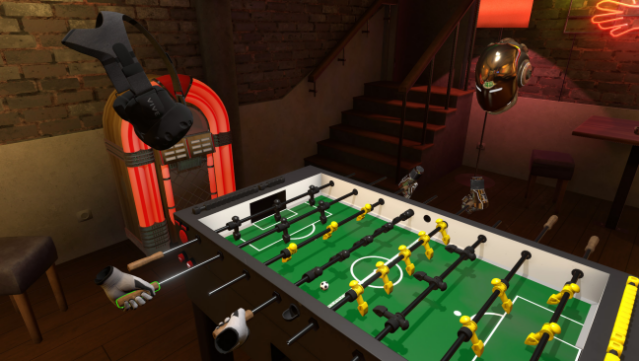
Experience the thrill of foosball like never before in a virtual reality setting that captures the essence of the beloved tabletop game. This VR simulation places you in a cozy pub environment, where you can take on friends or challenge AI opponents at a fully interactive foosball table. The gameplay offers a mix of traditional and wildly imaginative modes, including the explosive Bomberman, the slippery Ice Level, and the nostalgic Pong variant that pays homage to retro gaming.
Additionally, unique features like the Size Doesn't Matter mode, where the ball changes dimensions based on score, and Goalkeeper Wars, focusing on defensive skills, keep the experience fresh and exciting. Whether you’re a fan of classic table football or looking for a fun twist, this game caters to all skill levels and preferences. Perfect for those who enjoy competitive multiplayer games and a slice of nostalgic fun.

Instructions
- Click the Download button below and you will be redirected to UploadHaven.
- Wait 5 seconds and click on the blue ‘download now’ button. We recommend using a download manager for faster download speeds. (You can use FDM which is free here, or any other download manager).
- Once the game is finished downloading, right click the .zip file and click on “Extract to Foosball VR.zip” (To do this you will need 7-Zip, which you can get here, or you can use the built in windows extractor).
- Double click inside the Foosball VR folder and run the setup application. Accept the EULA, and install the game. Then, launch the game through the desktop shortcut.
Foosball VR Free Download
Reminder: This download is completely free and won't cost you a penny. However, If you love the game and want to purchase it, you can support the developers by doing so here.
System Requirements
- Requires a 64-bit processor and operating system
- OS *: Windows 7 or newer
- Processor: Intel i5-4590 equivalent or greater
- Memory: 8 GB RAM
- Graphics: NVIDIA GTX 970 / AMD Radeon R9 290 or greater
- Storage: 2 GB available space
- VR Support: SteamVR or Oculus PC. Standing Only
Screenshots