About Fireworks Mania – An Explosive Simulator
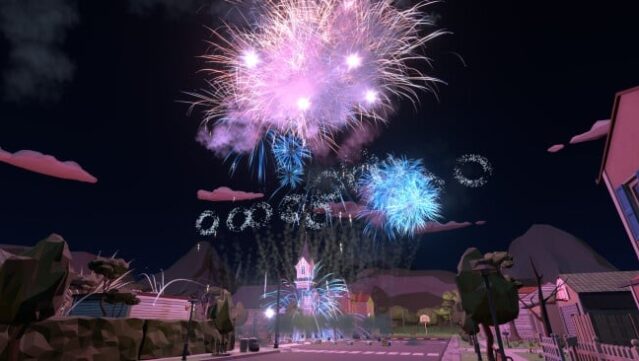
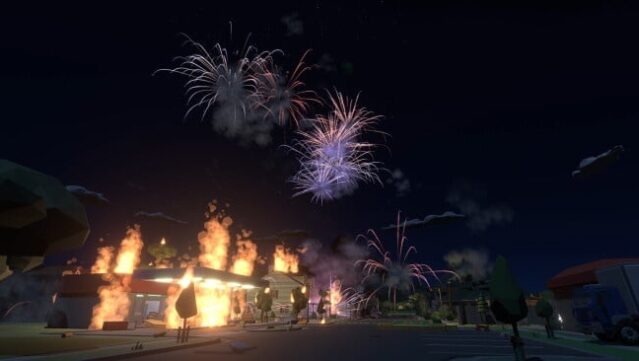
Dive into a world of explosive creativity where you can unleash a spectacular array of fireworks in a variety of colorful, low-poly environments. This casual simulator invites players to experiment with an extensive selection of pyrotechnics, allowing for both quick bursts of fun and longer, more intricate firework displays. The physics-driven mechanics ensure that no two explosions are alike, providing a fresh experience each time you ignite the fuse. Whether you’re designing your own dazzling shows or wandering through the surroundings in search of objects to blow up, the game keeps the excitement alive. Ideal for those who love creativity and the thrill of destruction, this game is a blast for fans of simulation and sandbox experiences.

Instructions
- Click the Download button below and you will be redirected to UploadHaven.
- Wait 5 seconds and click on the blue ‘download now’ button. We recommend using a download manager for faster download speeds. (You can use FDM which is free here, or any other download manager).
- Once the game is finished downloading, right click the .zip file and click on “Extract to Fireworks Mania – An Explosive Simulator v2025.12.5.zip” (To do this you will need 7-Zip, which you can get here, or you can use the built in windows extractor).
- Double click inside the Fireworks Mania – An Explosive Simulator v2025.12.5 folder and run the setup application. Accept the EULA, and install the game. Then, launch the game through the desktop shortcut.
Fireworks Mania – An Explosive Simulator Free Download (v2025.12.5)
Fireworks Mania – An Explosive Simulator (v2025.12.5)
Size: 321.64 MB
Reminder: This download is completely free and won't cost you a penny. However, If you love the game and want to purchase it, you can support the developers by doing so here.
System Requirements
- OS: Windows 7
- Processor: i5-2550k
- Memory: 4 GB RAM
- Graphics: Nvidia GTX 770
- DirectX: Version 11
- Storage: 1 GB available space
- Sound Card: Pretty boring without
Screenshots