About Finish Report
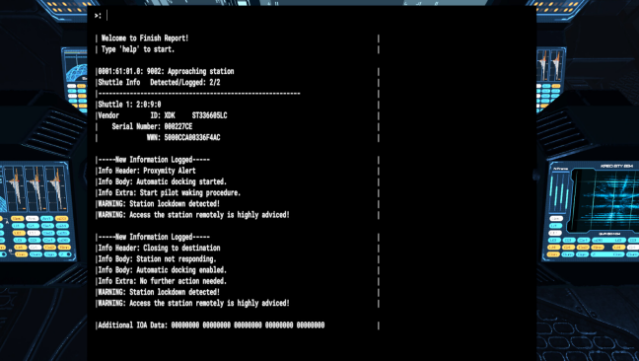
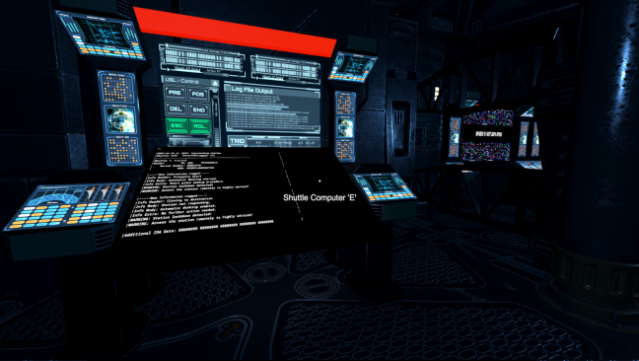
Step into a chilling mystery where silence speaks volumes as you explore a deserted space station. This horror investigation game places you in the role of a lone investigator tasked with uncovering the fate of 300 missing crew members. Set in a distant future where humanity has conquered the stars, you navigate the eerie corridors of the space station using a remote-controlled rover, which serves as both your eyes and ears in this desolate environment.
The minimalist gameplay emphasizes atmosphere, building an unsettling sense of dread and paranoia as you piece together log files to compile your report. Each discovery adds layers to the narrative, creating a compelling drive to uncover the truth. With a playtime of just 1-2 hours, this experience is perfect for those seeking a concise but intense dive into the unknown. If you’re a fan of atmospheric horror and tight storytelling, this game is definitely worth checking out.

Instructions
- Click the Download button below and you will be redirected to UploadHaven.
- Wait 5 seconds and click on the blue ‘download now’ button. We recommend using a download manager for faster download speeds. (You can use FDM which is free here, or any other download manager).
- Once the game is finished downloading, right click the .zip file and click on “Extract to Finish Report.zip” (To do this you will need 7-Zip, which you can get here, or you can use the built in windows extractor).
- Double click inside the Finish Report folder and run the setup application. Accept the EULA, and install the game. Then, launch the game through the desktop shortcut.
Finish Report Free Download
Reminder: This download is completely free and won't cost you a penny. However, If you love the game and want to purchase it, you can support the developers by doing so here.
System Requirements
- Requires a 64-bit processor and operating system
- OS: Windows 10 64bit
- Processor: Intel Core i5-4590 or AMD FX 8350
- Memory: 8 GB RAM
- Graphics: NVIDIA GTX 1050 / AMD Radeon equivalent
- Network: Broadband Internet connection
- Storage: 5 GB available space
Screenshots