About Final Response
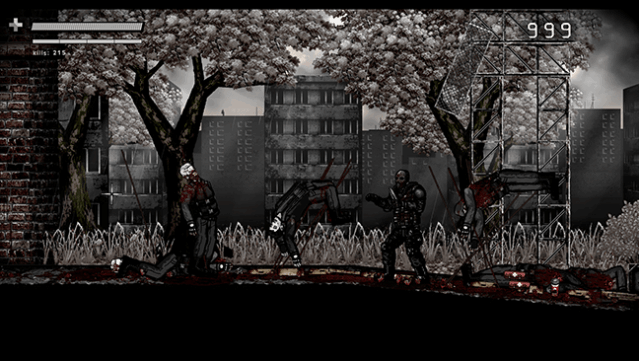
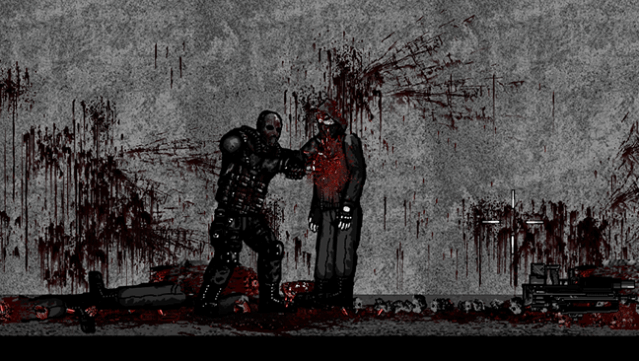
Dive into a chaotic world of intense action in this ultra-violent side-scrolling shooter that pushes the boundaries of gore. Set in a semi-open environment filled with interconnected areas, gameplay revolves around fast-paced combat, exploration, and a wealth of customization options. Players wield an arsenal of weapons while experiencing a dynamic day and night cycle that alters the gameplay landscape.
What sets this game apart is its highly detailed gore mechanics, featuring a surface-based wound system and multiple dismemberment points, ensuring that every encounter leaves a lasting impact. The extreme brutality is complemented by physics-driven death animations and a sandbox mode that allows for creative chaos. This title is perfect for those who crave dark, edgy experiences and enjoy games that aren't afraid to push the envelope. If you’re a fan of intense shooters with a heavy emphasis on gore and customization, this one's definitely for you.
Instructions
- Click the Download button below and you will be redirected to UploadHaven.
- Wait 5 seconds and click on the blue ‘download now’ button. We recommend using a download manager for faster download speeds. (You can use FDM which is free here, or any other download manager).
- Once the game is finished downloading, right click the .zip file and click on “Extract to Final Response v4.zip” (To do this you will need 7-Zip, which you can get here, or you can use the built in windows extractor).
- Double click inside the Final Response v4 folder and run the setup application. Accept the EULA, and install the game. Then, launch the game through the desktop shortcut.
Final Response Free Download (v4)
Final Response (v4)
Size: 110.65 MB
Reminder: This download is completely free and won't cost you a penny. However, If you love the game and want to purchase it, you can support the developers by doing so here.
System Requirements
- OS: windows XP or newer
- Memory: 2 GB RAM
- DirectX: Version 9.0c
- Storage: 200 MB available space
Screenshots