About Figment 2: Creed Valley
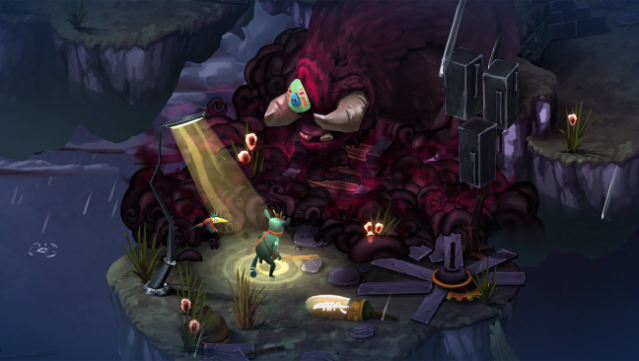
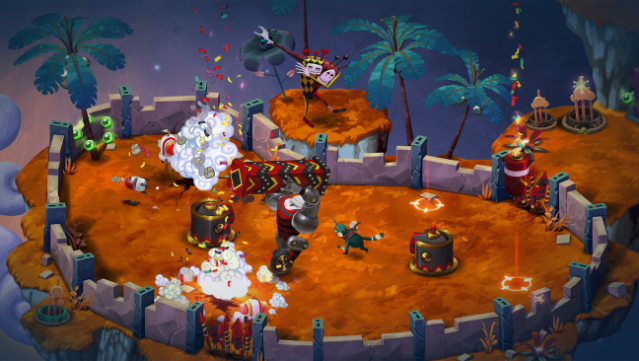
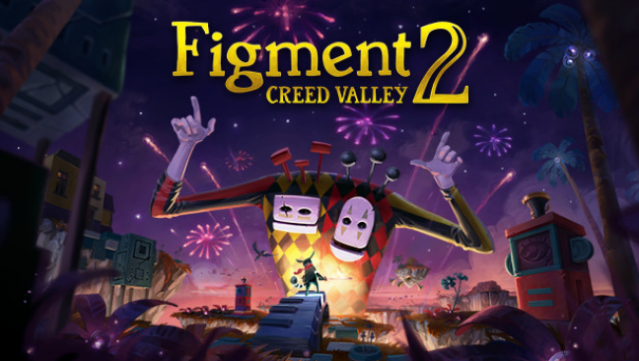
Step into a vibrant world where your inner psyche comes to life in a whimsical blend of action and music. In this adventure, players navigate through the human mind, which is in turmoil as nightmares wreak havoc on once peaceful landscapes. You control Dusty, a courageous figure teaming up with Piper, as you tackle intricate puzzles, engage in musical boss battles, and explore unique, colorful environments.
As you journey through Creed Valley, you'll need to switch between the states of Open-minded and Closed-minded to overcome obstacles and defeat the rhythm-infused nightmares, each with their own thematic tunes. This game not only emphasizes the importance of facing fears but also offers local co-op gameplay, allowing you to team up with a friend for a shared experience. If you enjoy imaginative worlds and engaging puzzles, this game is definitely for you.
Instructions
- Click the Download button below and you will be redirected to UploadHaven.
- Wait 5 seconds and click on the blue ‘download now’ button. We recommend using a download manager for faster download speeds. (You can use FDM which is free here, or any other download manager).
- Once the game is finished downloading, right click the .zip file and click on “Extract to Figment 2: Creed Valley v1.1.2.zip” (To do this you will need 7-Zip, which you can get here, or you can use the built in windows extractor).
- Double click inside the Figment 2: Creed Valley v1.1.2 folder and run the setup application. Accept the EULA, and install the game. Then, launch the game through the desktop shortcut.
Figment 2: Creed Valley Free Download (v1.1.2)
Figment 2: Creed Valley (v1.1.2)
Size: 1.30 GB
Reminder: This download is completely free and won't cost you a penny. However, If you love the game and want to purchase it, you can support the developers by doing so here.
System Requirements
- OS: Windows 7/8/10/11
- Processor: Intel Core i5 2500 / AMD FX 6120
- Memory: 4 GB RAM
- Graphics: Nvidia GTX 650 Ti / Nvidia GT 750M / Radeon HD5850 or equivalent
- Storage: 2 GB available space
- Sound Card: Compatible with DirectX 11
- Additional Notes: Screen with support for either 16:9 or 16:10 aspect ratio
Screenshots