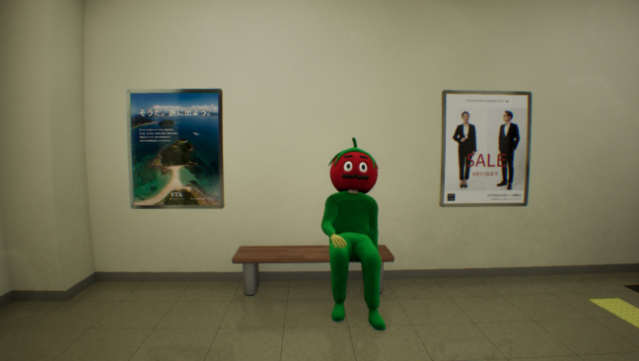
About False Mall
Step into a surreal shopping experience where reality bends and loops endlessly. This unique game combines elements of exploration and puzzle-solving in an infinite Japanese mall, where your mission is to identify anomalies that distort the space around you. The gameplay revolves around spotting these discrepancies while navigating through the mall’s eerie ambiance.
With a hint system to guide you, even newcomers can uncover the secrets hidden within. The auto-save feature adds convenience, allowing for breaks at any time without losing progress. Successfully capturing all anomalies opens the emergency exit, providing a path to escape.
Ideal for fans of mystery and puzzle games, this one is sure to keep you on your toes as you wander through its hauntingly captivating environment.

Instructions
- Click the Download button below and you will be redirected to UploadHaven.
- Wait 5 seconds and click on the blue ‘download now’ button. We recommend using a download manager for faster download speeds. (You can use FDM which is free here, or any other download manager).
- Once the game is finished downloading, right click the .zip file and click on “Extract to False Mall v1.0.27.zip” (To do this you will need 7-Zip, which you can get here, or you can use the built in windows extractor).
- Double click inside the False Mall v1.0.27 folder and run the setup application. Accept the EULA, and install the game. Then, launch the game through the desktop shortcut.
False Mall Free Download (v1.0.27)
False Mall (v1.0.27)
Size: 897.75 MB
Reminder: This download is completely free and won't cost you a penny. However, If you love the game and want to purchase it, you can support the developers by doing so here.
System Requirements
- Requires a 64-bit processor and operating system
- OS: Windows 11
- Processor: 3 Ghz
- Memory: 1 GB RAM
- Graphics: 4GB VRAM
- DirectX: Version 12
- Storage: 1 GB available space
Screenshots