About Endorphin Vice
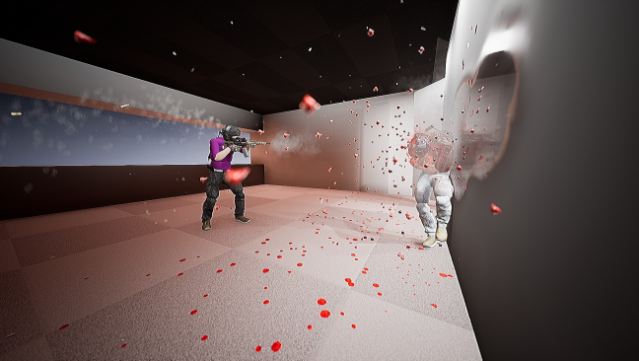
Imagine a playground where the laws of physics come alive, letting you experiment with the wildest scenarios you can think of. This sandbox game immerses you in a physics-driven environment, where you can manipulate realistic simulations of death and destruction. With advanced physics that accurately portray movements and interactions, every object reacts uniquely to the forces you apply.
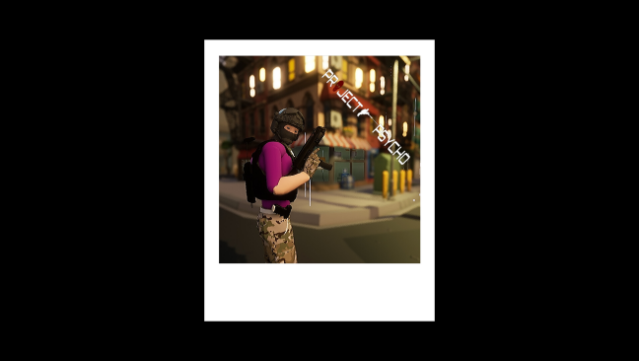
Endorphin Vice shines with its vast open world, customizable characters, and a plethora of tools and weapons. You can personalize your character with over 100 accessories, ensuring that your avatar stands out in the chaos. The game is still evolving, promising even more customization options and features in future updates.
If you’re into games that let you unleash your creativity while indulging in thrilling physics-based experiments, this one is definitely worth exploring.

Instructions
- Click the Download button below and you will be redirected to UploadHaven.
- Wait 5 seconds and click on the blue ‘download now’ button. We recommend using a download manager for faster download speeds. (You can use FDM which is free here, or any other download manager).
- Once the game is finished downloading, right click the .zip file and click on “Extract to Endorphin Vice v2026.05.10.zip” (To do this you will need 7-Zip, which you can get here, or you can use the built in windows extractor).
- Double click inside the Endorphin Vice v2026.05.10 folder and run the setup application. Accept the EULA, and install the game. Then, launch the game through the desktop shortcut.
Endorphin Vice Free Download (v2026.05.10)
Endorphin Vice (v2026.05.10)
Size: 10.42 GB
Reminder: This download is completely free and won't cost you a penny. However, If you love the game and want to purchase it, you can support the developers by doing so here.
System Requirements
- OS: windows 8
- Processor: intel i3 5
- Memory: 4 GB RAM
- Graphics: GeForce GTX 660
- DirectX: Version 11
- Storage: 1 GB available space
- Additional Notes: you may need to install dx from microsoft
Screenshots