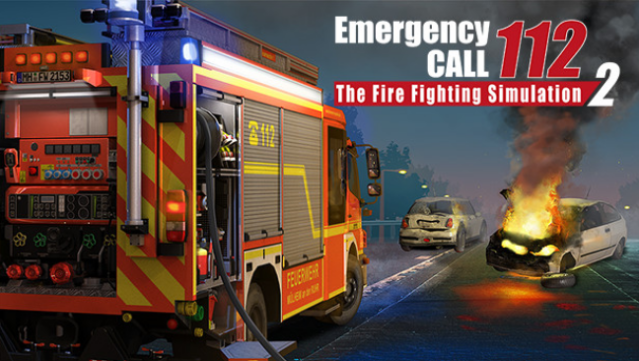
About Emergency Call 112 - The Fire Fighting Simulation 2
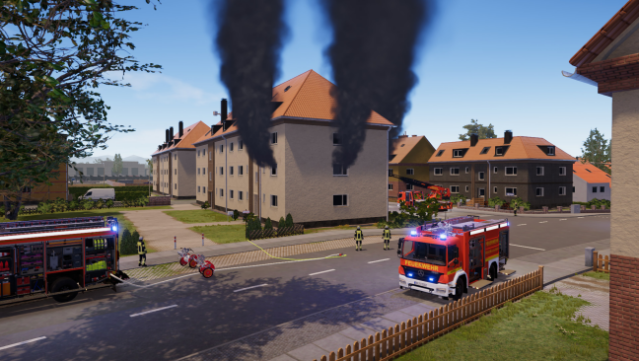
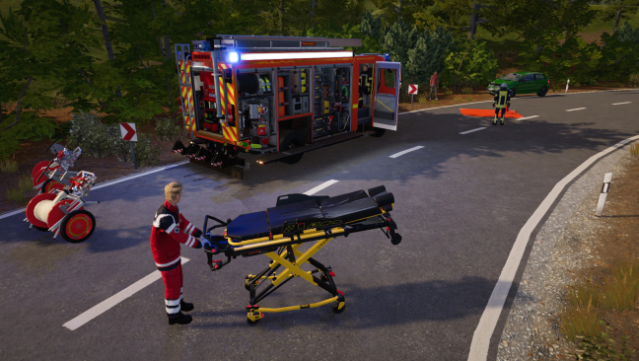
Get ready to step into the boots of a firefighter with a game that immerses you in the thrilling world of emergency response. This simulation allows you to manage a fire brigade, tackling a variety of intense scenarios in a newly designed, realistic environment. You can control everything from small emergency vehicles to full fire trucks, as you confront different types of blazes.
The gameplay features a robust tactical mode where you coordinate your team, issue commands, and oversee the unfolding action. With a host of updated emergency vehicles reflecting real-life fire department fleets and the option for multiplayer gameplay, you’ll experience the camaraderie and challenges of firefighting like never before. Ideal for fans of simulation games and emergency services, this title provides an engaging blend of strategy and action.
Instructions
- Click the Download button below and you will be redirected to UploadHaven.
- Wait 5 seconds and click on the blue ‘download now’ button. We recommend using a download manager for faster download speeds. (You can use FDM which is free here, or any other download manager).
- Once the game is finished downloading, right click the .zip file and click on “Extract to Emergency Call 112 - The Fire Fighting Simulation 2 v1.2.17200b & ALL DLC.zip” (To do this you will need 7-Zip, which you can get here, or you can use the built in windows extractor).
- Double click inside the Emergency Call 112 - The Fire Fighting Simulation 2 v1.2.17200b & ALL DLC folder and run the setup application. Accept the EULA, and install the game. Then, launch the game through the desktop shortcut.
Emergency Call 112 – The Fire Fighting Simulation 2 Free Download (v1.2.17200b & ALL DLC)
Emergency Call 112 - The Fire Fighting Simulation 2 (v1.2.17200b & ALL DLC)
Size: 5.57 GB
Reminder: This download is completely free and won't cost you a penny. However, If you love the game and want to purchase it, you can support the developers by doing so here.
System Requirements
- Requires a 64-bit processor and operating system
- OS: Windows 10 64-bit
- Processor: AMD Ryzen 3 1500X / Intel i5-6600K
- Memory: 8 GB RAM
- Graphics: GPU with 4 GB VRAM, Nvidia GeForce GTX 1060 (4 GB) or AMD Radeon RX 560 (6GB) (no support of OnBoard graphic card)
- DirectX: Version 11
- Storage: 20 GB available space
- Additional Notes: Internet connection, mouse with mouse wheel required
Screenshots