About DSX
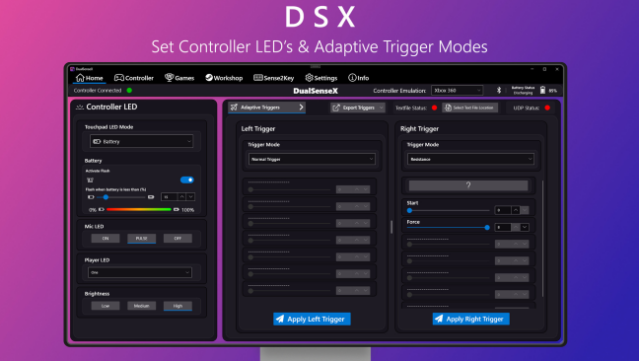
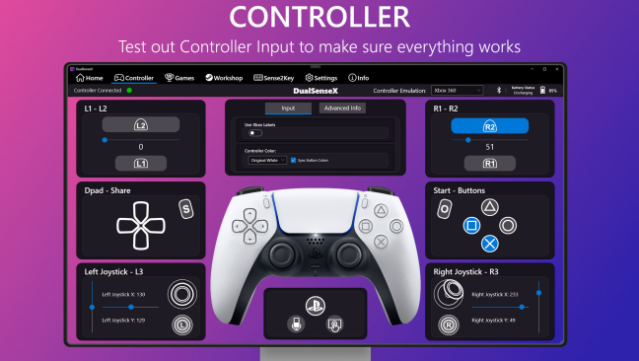
Experience the cutting-edge capabilities of your DualSense controller on PC with this innovative software that brings a new level of immersion to your gaming. This tool is designed specifically for PS5 fans who want to take advantage of customizable button profiles, dynamic lighting effects, and comprehensive input testing. With seamless support for USB and Bluetooth connections, it allows you to emulate various controller types, including Xbox360 and DualShock 4, tailoring your gameplay to suit your preferences.
DSX also packs in features like battery monitoring, automatic startup with Windows, and extensive language support, ensuring a personalized experience. You can even dive into testing adaptive trigger settings and vibration modes to enhance your playstyle. This software is perfect for anyone looking to maximize their gaming experience on PC while using a DualSense controller. If you’re a PS5 enthusiast eager to elevate your gameplay, this tool is a must-try.
Instructions
- Click the Download button below and you will be redirected to UploadHaven.
- Wait 5 seconds and click on the blue ‘download now’ button. We recommend using a download manager for faster download speeds. (You can use FDM which is free here, or any other download manager).
- Once the game is finished downloading, right click the .zip file and click on “Extract to DSX v2.3.0.zip” (To do this you will need 7-Zip, which you can get here, or you can use the built in windows extractor).
- Double click inside the DSX v2.3.0 folder and run the setup application. Accept the EULA, and install the game. Then, launch the game through the desktop shortcut.
DSX Free Download (v2.3.0)
Reminder: This download is completely free and won't cost you a penny. However, If you love the game and want to purchase it, you can support the developers by doing so here.
System Requirements
- Requires a 64-bit processor and operating system
- OS: Windows 10
- Processor: x64
Screenshots