About Domino Simulator
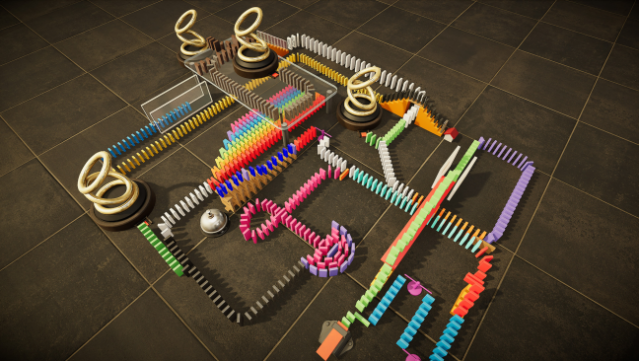
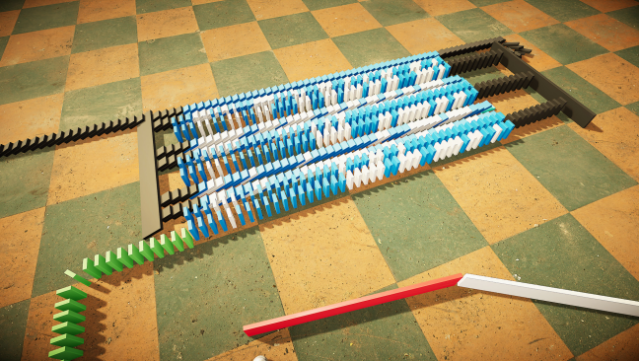
This game offers a unique blend of creativity and physics as you dive into a sandbox environment dedicated to the art of domino setups. As a physics-based simulator, it allows players to place an array of domino tiles and other objects to craft intricate chains that can come crashing down in satisfying cascades. The gameplay loop revolves around designing, building, and then triggering your creations to see them topple in a mesmerizing display. With total freedom to choose your layouts and the types of tiles you use, every session can lead to a different spectacle. This game is perfect for those who appreciate the satisfying chain reactions and the creative process involved in designing elaborate configurations. If you find joy in watching things fall, this one's definitely for you.
Instructions
- Click the Download button below and you will be redirected to UploadHaven.
- Wait 5 seconds and click on the blue ‘download now’ button. We recommend using a download manager for faster download speeds. (You can use FDM which is free here, or any other download manager).
- Once the game is finished downloading, right click the .zip file and click on “Extract to Domino Simulator v1.0.zip” (To do this you will need 7-Zip, which you can get here, or you can use the built in windows extractor).
- Double click inside the Domino Simulator v1.0 folder and run the setup application. Accept the EULA, and install the game. Then, launch the game through the desktop shortcut.
Domino Simulator Free Download (v1.0)
Domino Simulator (v1.0)
Size: 3.32 GB
Reminder: This download is completely free and won't cost you a penny. However, If you love the game and want to purchase it, you can support the developers by doing so here.
System Requirements
- Requires a 64-bit processor and operating system
- OS: Windows 10 64 bit
- Processor: Intel Core i7 6700, or AMD Ryzen 2700
- Memory: 8 GB RAM
- Graphics: nVidia GTX 1060
- DirectX: Version 11
- Storage: 4 GB available space
- Sound Card: Windows Compatible Sound Card
- Additional Notes: Please note that requirements may change over time with further development.
Screenshots