About Disgraced
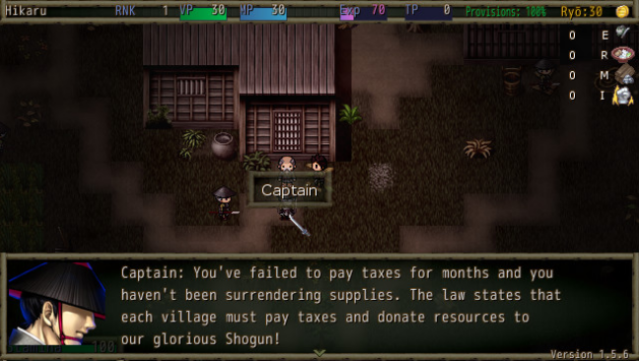
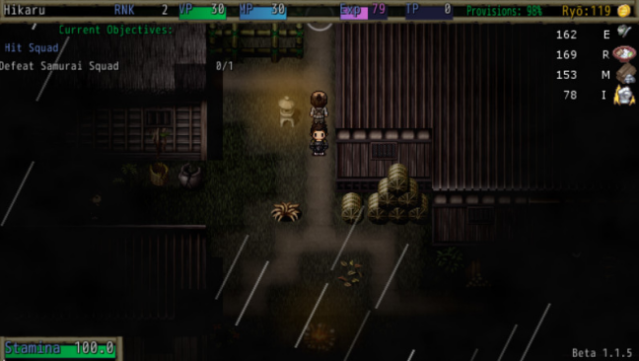
Set in the tumultuous era of Feudal Japan, this game immerses you in a world where loyalty to a corrupt regime clashes with the desire for justice. As a soldier reluctantly drafted into the Shogun's army, you face a moral dilemma that sets the stage for an epic role-playing adventure. With a focus on strategic gameplay, you build and manage your own resistance faction, taking part in a rebellion aimed at liberating Japan from tyranny. Choose your companions wisely and craft your team's skills to enhance your chances of success in meticulously planned raids. Whether you prefer stealth like a ninja or the honor of a ronin, the game offers a flexible approach to combat and storytelling. This is a must-play for fans of narrative-driven RPGs and strategic warfare.

Instructions
- Click the Download button below and you will be redirected to UploadHaven.
- Wait 5 seconds and click on the blue ‘download now’ button. We recommend using a download manager for faster download speeds. (You can use FDM which is free here, or any other download manager).
- Once the game is finished downloading, right click the .zip file and click on “Extract to Disgraced v1.7.6 & ALL DLC.zip” (To do this you will need 7-Zip, which you can get here, or you can use the built in windows extractor).
- Double click inside the Disgraced v1.7.6 & ALL DLC folder and run the setup application. Accept the EULA, and install the game. Then, launch the game through the desktop shortcut.
Disgraced Free Download (v1.7.6 & ALL DLC)
Disgraced (v1.7.6 & ALL DLC)
Size: 673.60 MB
Reminder: This download is completely free and won't cost you a penny. However, If you love the game and want to purchase it, you can support the developers by doing so here.
System Requirements
- OS: Microsoft Windows (32-bit/64-bit)
- Processor: Intel Dual-Core 2.4 GHz
- Memory: 512 MB RAM
- Graphics: DirectX 9.0 Compatible
- DirectX: Version 9.0
- Storage: 2 GB available space
- Sound Card: DirectSound Compatible
- Additional Notes: *STEAM CONTROLLERS WORK BY DEFAULT – Enable additional gamepad/controller support by opening the gamepad.txt file in the install directory and setting the gamepad value to “1”.*
Screenshots