About Deconstruction Simulator
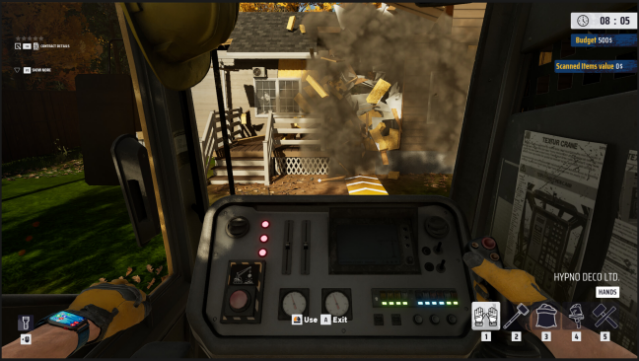
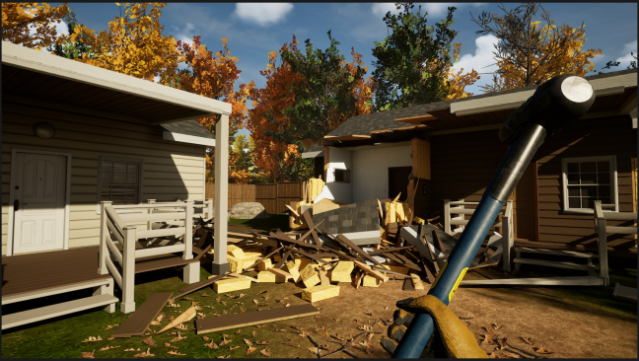
Step into the chaotic world of destruction where you can demolish anything from rundown shacks to luxurious villas. In this simulation game, you take on contracts that challenge your skills in dismantling and demolition, allowing you to recover valuable materials for profit or recycle them. You'll experience advanced physics that let you either meticulously plan each demolition or unleash havoc with tools like hammers and wrecking balls.
Every job offers a unique challenge, and your choices—whether to follow client instructions or go rogue—impact both your earnings and reputation. As you accumulate wealth, you can expand your business by upgrading your tools and vehicles, striving for higher demolition permits that unlock more lucrative contracts. This game is perfect for players who enjoy strategic decision-making and chaos-driven gameplay.

Instructions
- Click the Download button below and you will be redirected to UploadHaven.
- Wait 5 seconds and click on the blue ‘download now’ button. We recommend using a download manager for faster download speeds. (You can use FDM which is free here, or any other download manager).
- Once the game is finished downloading, right click the .zip file and click on “Extract to Deconstruction Simulator v1.4.2.1.zip” (To do this you will need 7-Zip, which you can get here, or you can use the built in windows extractor).
- Double click inside the Deconstruction Simulator v1.4.2.1 folder and run the setup application. Accept the EULA, and install the game. Then, launch the game through the desktop shortcut.
Deconstruction Simulator Free Download (v1.4.2.1)
Deconstruction Simulator (v1.4.2.1)
Size: 8.18 GB
Reminder: This download is completely free and won't cost you a penny. However, If you love the game and want to purchase it, you can support the developers by doing so here.
System Requirements
- OS: Windows 10 64bit
- Processor: Intel Core i5 8500 / AMD Ryzen 5 3600
- Memory: 16 GB RAM
- Graphics: NVIDIA GeForce RTX 2060 8 GB / AMD Radeon RX 5700 8 GB / Intel Arc A580 8 GB
- DirectX: Version 11
- Storage: 10 GB available space
- Additional Notes: Recommended installation on an SSD drive; Valid for Low Settings, 1080p, 30fps
Screenshots