About Cue Club 2: Pool & Snooker
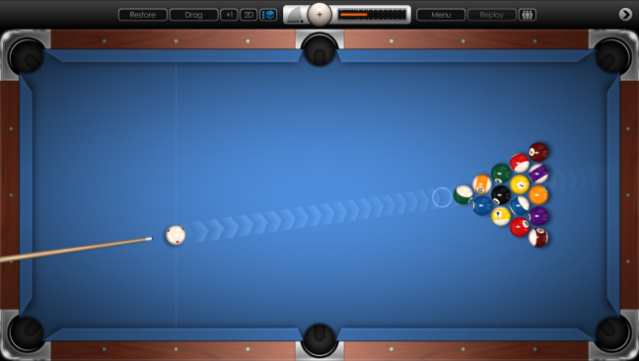
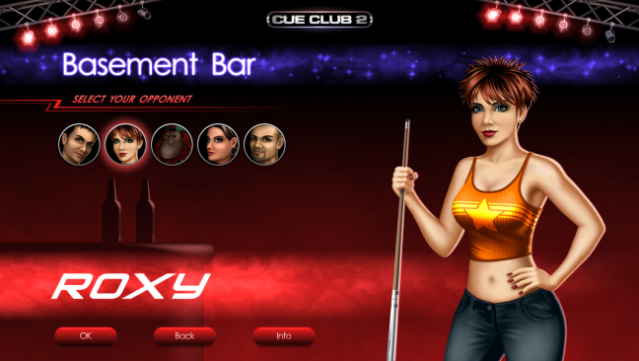
Dive into the ultimate billiards experience that combines stunning visuals with hyper-realistic gameplay. This sports simulation focuses on pool and snooker, offering an impressive array of game modes, from 8-ball to snooker, all backed by cutting-edge ball physics. Players can challenge a diverse cast of AI opponents, each offering a unique level of difficulty, while honing their skills in customizable practice sessions or multiplayer matches.
With a wide selection of tables, cues, and ball sets, as well as options for rules, gamers can tailor their experience to fit their style. The game also features slow-motion replays, a hall of fame for achievements, and a jazzy soundtrack to keep the ambiance alive. Perfect for fans of pool and snooker looking for a realistic and engaging challenge.

Instructions
- Click the Download button below and you will be redirected to UploadHaven.
- Wait 5 seconds and click on the blue ‘download now’ button. We recommend using a download manager for faster download speeds. (You can use FDM which is free here, or any other download manager).
- Once the game is finished downloading, right click the .zip file and click on “Extract to Cue Club 2: Pool & Snooker v2019.03.31.zip” (To do this you will need 7-Zip, which you can get here, or you can use the built in windows extractor).
- Double click inside the Cue Club 2: Pool & Snooker v2019.03.31 folder and run the setup application. Accept the EULA, and install the game. Then, launch the game through the desktop shortcut.
Cue Club 2: Pool & Snooker Free Download (v2019.03.31)
Cue Club 2: Pool & Snooker (v2019.03.31)
Size: 138.21 MB
Reminder: This download is completely free and won't cost you a penny. However, If you love the game and want to purchase it, you can support the developers by doing so here.
System Requirements
- OS: Windows XP
- Processor: Intel / AMD 1.7 GHz
- Memory: 512 MB RAM
- Graphics: Integrated or dedicated graphics card
- DirectX: Version 9.0c
- Storage: 200 MB available space
- Sound Card: 100% compatible with DirectX
Screenshots