About Cubixx HD
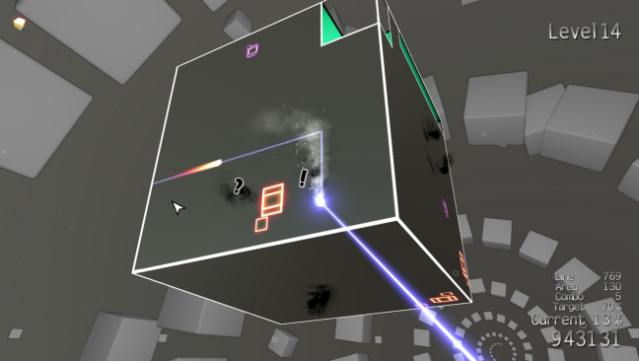
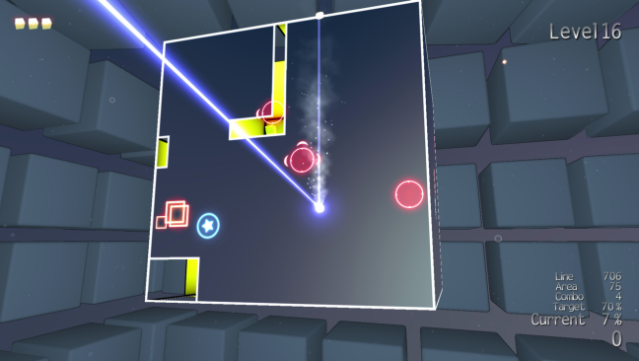
Prepare to dive into a vibrant, cube-filled world where strategic thinking and quick reflexes are key to survival. As you navigate through 50 electrifying Arcade levels, you control a Cubot equipped with a powerful laser, tasked with outsmarting enemies and uncovering hidden secrets. The gameplay is fast-paced and addictive, challenging players to annihilate foes while avoiding danger.
What sets this game apart is its diverse range of challenges in “Challenges” mode, offering 50 unique scenarios that push your skills to their limits. Compete for glory across more than 150 leaderboards in various Attack modes, including Score Attack and Time Attack. Plus, with local multiplayer options for up to seven players, you can collaborate in Arcade or go head-to-head in thrilling Deathmatches. This game is perfect for fans of intense action and competitive gameplay.

Instructions
- Click the Download button below and you will be redirected to UploadHaven.
- Wait 5 seconds and click on the blue ‘download now’ button. We recommend using a download manager for faster download speeds. (You can use FDM which is free here, or any other download manager).
- Once the game is finished downloading, right click the .zip file and click on “Extract to Cubixx HD.zip” (To do this you will need 7-Zip, which you can get here, or you can use the built in windows extractor).
- Double click inside the Cubixx HD folder and run the setup application. Accept the EULA, and install the game. Then, launch the game through the desktop shortcut.
Cubixx HD Free Download
Reminder: This download is completely free and won't cost you a penny. However, If you love the game and want to purchase it, you can support the developers by doing so here.
System Requirements
- OS: Windows 7
- Processor: 2.13GHz Intel Core2 Duo or equivalent
- Memory: 1 GB RAM
- Graphics: DirectX 9.0c compatible graphics card with 512Mb RAM and support for v3 shaders
- DirectX: Version 9.0c
- Storage: 80 MB available space
- Sound Card: DirectX 9.0c compatible sound card
Screenshots