About Crosshair X
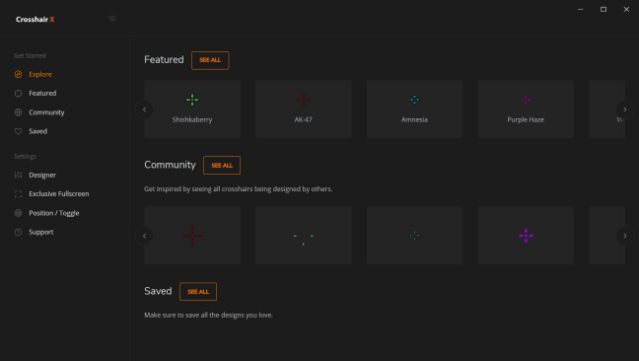
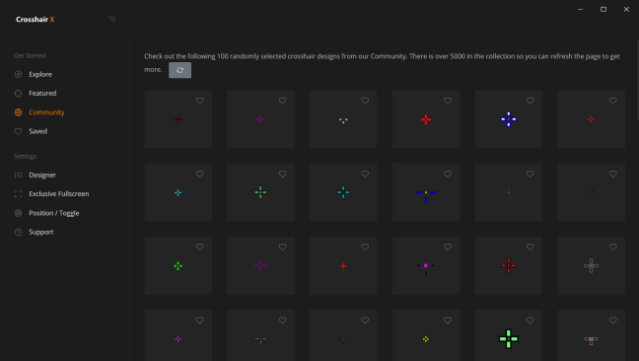
Enhance your shooting precision with a tailored crosshair that suits your playstyle perfectly. This unique tool allows gamers to customize their crosshair for clear visibility and accuracy across all their favorite titles. You can begin with popular pro designs or explore a plethora of community creations, giving you a wide range of options to tweak and personalize.
The user-friendly slider interface makes adjusting attributes like line opacity, size, and color a breeze. Standout features include the ability to modify elements like the center dot and outlines, alongside options to adjust the crosshair's position on-screen. Plus, its integration with a secure game overlay from Microsoft ensures a seamless experience.
This tool is perfect for dedicated gamers looking to elevate their aim and refine their gameplay. If you love competitive shooters, this is a must-try!

Instructions
- Click the Download button below and you will be redirected to UploadHaven.
- Wait 5 seconds and click on the blue ‘download now’ button. We recommend using a download manager for faster download speeds. (You can use FDM which is free here, or any other download manager).
- Once the game is finished downloading, right click the .zip file and click on “Extract to Crosshair X v2024.10.04.zip” (To do this you will need 7-Zip, which you can get here, or you can use the built in windows extractor).
- Double click inside the Crosshair X v2024.10.04 folder and run the setup application. Accept the EULA, and install the game. Then, launch the game through the desktop shortcut.
Crosshair X Free Download (v2024.10.04)
Crosshair X (v2024.10.04)
Size: 237.54 MB
Reminder: This download is completely free and won't cost you a penny. However, If you love the game and want to purchase it, you can support the developers by doing so here.
System Requirements
- OS: Windows 10
Screenshots